

73% of enterprise users say their tools slow them down instead of speeding them up. The problem isn’t the technology, but the design.
Most enterprise software is born in a sprint room, not a user interview. It’s built by engineers, for engineers, optimized for function over flow. The result is a product that technically does everything but practically exhausts everyone who has to use it for eight hours a day.
This guide covers everything you need to know about enterprise UX design – from foundational principles to advanced strategies. Whether you’re a product manager trying to reduce churn, a designer inheriting a legacy system, or a CTO justifying a UX investment to the board, you’ll find actionable frameworks here. We’ll cover definitions, common challenges, best practices, research methods, dashboard design, modernization strategy, scalable UI systems, SaaS-specific UX, and how to calculate the real ROI of getting this right.
What is Enterprise UX Design?

Enterprise UX design is the practice of designing complex, multi-role, data-heavy business applications for efficiency and accuracy – not aesthetics. It’s not about making software look beautiful. It’s about making sure a procurement manager can complete a purchase order in three clicks instead of fifteen, that an analyst doesn’t lose data because a form timed out, and that a new hire doesn’t need three weeks of training just to submit an expense report.
The audience isn’t a consumer casually browsing on a Saturday morning. It’s a professional who depends on the tool to do their job, day in and day out, often under pressure and with zero tolerance for friction.
What Makes It “Enterprise”
Not all software design is created equal. Enterprise software has a specific profile that makes it categorically different from consumer apps:
- Multiple user roles: A single platform might serve executives, operations managers, field agents, finance teams, and IT admins – all with different needs, permissions, and mental models.
- Data-dense screens: Enterprise interfaces often display dozens of data points simultaneously – tables, charts, flags, status indicators – all of it meaningful and none of it optional.
- Long session times: Users aren’t checking in for 90 seconds like they do on Instagram. They’re spending full workdays inside these tools, which means fatigue, error accumulation, and workflow dependency all become critical factors.
- Deep system integrations: Enterprise software rarely lives alone. It talks to ERPs, CRMs, data warehouses, payment systems, and legacy databases – each integration adding layers of complexity to every interaction.
Enterprise UX vs Consumer UX
Here’s an analogy that captures the difference: Consumer UX is designing a car for a Sunday drive. Enterprise UX is designing the cockpit of a commercial airplane – where every control must be exactly right, every label must be unambiguous, and the cost of a wrong decision isn’t frustration, it’s a crash.
Consumer UX prioritizes delight, discovery, and simplicity. Enterprise UX prioritizes precision, efficiency, and safety. Both matter in their domains – but applying consumer design thinking to enterprise software is one of the most common and costly mistakes product teams make.
The Role of Cognitive Load
Cognitive load refers to the mental effort required to process information and make decisions. Enterprise software is one of the greatest offenders when it comes to overloading users. Dense tables, unclear labels, inconsistent navigation, and redundant options all pile mental weight onto the user – slowing them down, increasing error rates, and contributing to burnout.
Good enterprise UX design reduces cognitive load by showing only what’s needed at each step and hiding everything else until it’s relevant. It creates clear visual hierarchy so the eye knows where to go. It removes ambiguity from labels and actions. The goal isn’t to dumb things down – it’s to eliminate the friction between the user’s intent and the system’s response.
Why Enterprise UX Design Matters for Business

Bad enterprise UX isn’t a design complaint. It’s a financial liability. Consider the compounding costs:
- High training costs: When software isn’t intuitive, onboarding takes weeks instead of days. Multiply trainer time, lost productivity, and materials across every new hire and you’re looking at significant dollar amounts per employee.
- Low adoption: Employees revert to spreadsheets, workarounds, and shadow IT when official tools are too painful to use. The license fees continue; the ROI disappears.
- Support ticket overload: A staggering 30–40% of enterprise support tickets are usability failures dressed up as technical issues. That’s IT resources being consumed by bad design.
- Slow task completion: Every extra click, every unclear label, every redundant confirmation dialog costs time. Across hundreds of users completing dozens of tasks daily, those seconds become millions of dollars in lost productivity annually.
None of these are abstract. All of them are measurable, and all of them trace back to design decisions made (or not made) early in the product’s lifecycle.
Impact on Employee Productivity
The productivity math is simple but striking. If a well-designed tool saves just 3 minutes per task, and 500 users complete 10 tasks per day, that’s 25,000 minutes – over 416 hours – recovered every single day. Annualized, at an average enterprise employee cost of $50/hour, that’s over $5 million in recovered productivity per year. From 3 minutes. Per task.
This is why enterprise UX isn’t a line item in the design budget. It’s a lever for operational efficiency at scale.
Competitive Advantage in B2B SaaS
For SaaS companies selling into enterprise, UX is a direct driver of business performance. Better UX leads to higher adoption rates, which leads to stickier products, which leads to lower churn. Lower churn drives Net Revenue Retention (NRR) – the metric that investors and acquirers scrutinize most closely in B2B SaaS.
NRR measures the revenue retained from existing customers, including expansions and minus contractions and churn. A product with strong UX sees users expanding usage across teams rather than abandoning modules. In a competitive market where feature parity is increasingly common, UX is often the deciding factor in renewals, expansions, and win rates.
The Most Common Enterprise UX Challenges

High Training Overhead
When software is designed by engineers for engineers, the mental model baked into the interface is one that only makes sense if you understand the underlying data architecture. Regular users don’t have that context – and they shouldn’t need it. The result is interfaces that require formal training programs just to operate basic functions. New employees spend weeks in onboarding before they can contribute, and even experienced users get tripped up by edge cases that were never designed for.
Feature Abandonment
Here’s a pattern that plays out in almost every enterprise product: the company builds 50 features, but users only regularly use 7. The rest are buried in confusing navigation, launched without in-product guidance, or duplicated under inconsistent names. Feature abandonment isn’t a user problem – it’s a design problem. If users can’t find or understand a feature, it might as well not exist.
Legacy Interface Paralysis
Many enterprise products carry interfaces that were built five, ten, or fifteen years ago – before modern UX standards existed. The team knows the UI is hurting adoption and productivity, but a full redesign feels too risky. What if we break workflows that people depend on? What if the migration disrupts critical operations? So nothing changes, and year after year, design debt compounds while competitors with modern interfaces eat into the market. This is legacy interface paralysis, and it affects more enterprise products than most teams will admit.
Dashboard Overload
The enterprise dashboard is supposed to be a command center. Too often, it’s a data dump. Every stakeholder who had input during the design phase got their metric added to the screen, and the result is a dashboard that displays everything but communicates nothing. Users spend more time trying to interpret what they’re looking at than actually making decisions. The tell-tale sign? People exporting dashboard data to Excel just to think clearly.
Cross-Module Inconsistency
Enterprise products are often built by multiple teams over multiple years. A billing module built in 2018, a reporting module built in 2021, and an integrations panel built last quarter may all live under the same product roof – but they were designed independently, with different patterns, different terminology, and different interaction logic. The user experience feels like five separate apps stitched together with a shared logo.
Error-Prone Workflows
Confusing form labels, missing validation, ambiguous confirmation dialogs, and unclear error messages don’t just frustrate users – they produce bad data. A procurement form with unclear field labels leads to incorrect purchase orders. An unclear approval workflow leads to duplicate payments. These aren’t isolated incidents; they’re systematic failures that cascade downstream into operational, financial, and compliance problems.
Enterprise UX Best Practices: 8 Rules That Work
1. Design for Workflows, Not Screens
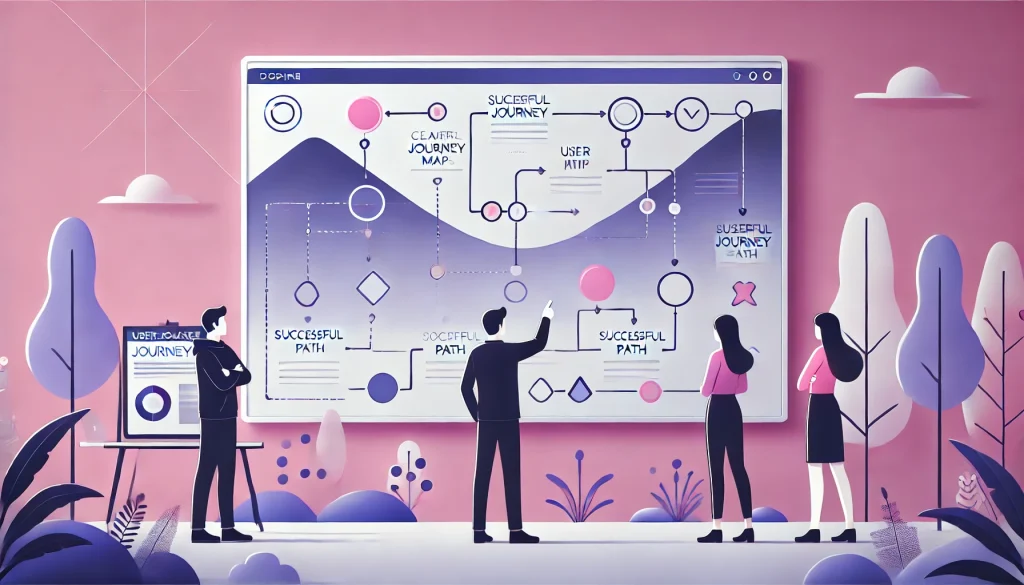
The most common enterprise UX mistake is jumping straight into screen design without mapping the end-to-end workflow first. A screen only makes sense in the context of the task it supports. Before wireframing anything, map the full job: What is the user trying to accomplish? What steps are involved? What data do they need at each step? What decisions are they making? Only then should you design the screens that support each step.
2. Reduce Cognitive Load
The guiding principle is simple: show only what’s needed for the current step, and hide everything else until it’s relevant. This applies to navigation, forms, dashboards, and modals. Every piece of information on screen should justify its presence. If it doesn’t help the user complete the current task, it’s adding cognitive load.
3. Design for Roles
A warehouse operator and a CFO might both use the same software, but they have fundamentally different jobs, different data needs, and different levels of context. A one-size-fits-all interface serves neither of them well. Role-based design means that each user type sees the information, actions, and density level that’s appropriate for their work – not a generic interface that tries to accommodate everyone and ends up serving no one.
4. Progressive Disclosure
Progressive disclosure is the practice of presenting summary-level information by default and allowing users to drill into detail on demand. Instead of showing all 40 fields of a customer record upfront, show the 5 that matter most – and make the rest accessible with a single click. This keeps interfaces clean while preserving access to depth when it’s needed.
5. Consistent Interaction Patterns
Every interactive element – dropdowns, modals, buttons, tooltips, date pickers – should behave identically across the entire product. If clicking a row opens a detail panel in one module but navigates to a new page in another, users have to re-learn the interface every time they switch contexts. Consistency reduces cognitive load, speeds up learning, and creates a sense of product coherence.
6. Error Prevention Over Error Messages
The best error message is the one the user never sees. Good enterprise UX design prevents mistakes before they happen – through smart defaults, inline validation, confirmation dialogs for destructive actions, and clear field-level guidance. An interface that relies on error messages to communicate what should have been designed correctly from the start has failed its users.
7. Design for Data Density with Hierarchy
Enterprise users genuinely need information-rich screens. The answer isn’t to strip data away – it’s to organize it with a clear visual hierarchy. Use size, weight, color, and spacing to communicate what’s most important. Make it scannable. Users should be able to identify the critical information in under three seconds, then navigate to supporting detail when needed.
8. Accessibility by Default
WCAG compliance is not optional. Enterprise tools must be usable by everyone – including users with visual impairments, motor disabilities, or cognitive differences. Accessibility is also increasingly a legal and procurement requirement in regulated industries and government sectors. Building accessibility in from the start costs a fraction of retrofitting it later.
Enterprise UX Research Basics

Why Enterprise Research is Harder
User research in the enterprise context comes with a unique set of obstacles. Your users are busy professionals who can’t spare an hour on a Tuesday for a usability test. Their workflows are too nuanced to simulate in a lab setting. Their organizations often have NDA constraints that limit what they can share or demonstrate. And the problems you’re solving are embedded in organizational processes that take weeks to even understand properly.
None of this means research can be skipped – it means it has to be planned more carefully.
Contextual Inquiry
Contextual inquiry means going to where users actually work – sitting at their desks, watching them use real systems with real data – rather than bringing them into a lab and asking them to perform scripted tasks. The gap between how people describe their workflows and how they actually behave is enormous. Contextual inquiry captures the reality: the workarounds, the mental shortcuts, the moments of confusion, and the informal adaptations that never make it into a support ticket.
Task Analysis
Task analysis is the systematic process of breaking complex enterprise workflows into step-by-step sequences. For each task, you document the steps, the decisions, the data inputs and outputs, the systems involved, and the points of failure. This reveals redundancies, gaps, and confusion points that no amount of stakeholder interviews would surface on their own. It’s the foundation for designing workflows that match how work actually gets done.
Diary Studies
A single usability session captures a snapshot. A diary study captures a pattern. By asking users to log their experiences over several days or weeks – what they were trying to do, what worked, what frustrated them, what they worked around – you accumulate a picture of recurring pain points that only appear over time. Diary studies are particularly valuable for identifying the “Tuesday afternoon problem”: the workflow edge case that only comes up once a week but causes significant disruption when it does.
The Golden Rule
Research doesn’t slow you down. It prevents you from building the wrong thing fast.
Enterprise Dashboard Design

Data Hierarchy
The most critical KPIs must be visible the moment a user lands on the dashboard – no scrolling, no clicking, no interpreting. Secondary metrics should be exactly one click away. Anything that requires more than that belongs in a dedicated report, not the dashboard. This hierarchy isn’t just about screen real estate; it’s about communicating what matters most and removing the cognitive overhead of having to figure it out.
Role-Based Views
A CEO needs to see revenue trend, burn rate, and strategic KPIs. An operations analyst needs to see queue volume, SLA breaches, and throughput metrics. Both are valid – but they cannot share the same dashboard without compromising both. Role-based dashboard design means building views tailored to the decisions each role needs to make, rather than creating one dashboard that tries to serve all audiences and ends up serving none.
Action-Oriented Visualizations
Every chart, graph, metric, and number on a dashboard must answer one question: “So what should I do next?” If a visualization doesn’t drive a decision or prompt an action, it doesn’t belong on the dashboard. This is a high bar – and it should be. Dashboards that pass this test are genuinely useful. Dashboards that fail it are expensive wallpaper.
The Litmus Test
Here’s a simple diagnostic: if your users regularly export dashboard data to Excel to actually analyze it, your dashboard has failed its job. Excel exports are a signal that the dashboard isn’t giving users what they need in the format they need it. It’s worth treating that behavior as a high-priority design problem, not a user preference.
Enterprise UX Modernization

The Fear
The most common reason enterprise UX doesn’t get modernized is fear. “If we redesign, we’ll break what currently works.” This fear is understandable – enterprise systems often support mission-critical operations, and the consequences of disruption are real. But the cost of not modernizing is also real and growing. The question isn’t whether to modernize; it’s how to do it without creating chaos.
Module-by-Module Approach
The answer is incremental modernization. Identify the module with the highest pain – the one generating the most support tickets, the longest training time, or the most user complaints. Redesign that module. Test it. Deploy it. Measure adoption and task completion rates. Then move to the next module. This approach limits risk, builds organizational confidence, and delivers measurable improvements continuously rather than betting everything on a single big-bang rewrite.
Design Debt
Design debt is to UX what technical debt is to engineering. Every ad-hoc screen added without a design review, every inconsistent pattern introduced under time pressure, every workaround layered on top of a flawed interaction – these accumulate. Over years, they compound into a product that is increasingly painful to use, increasingly expensive to maintain, and increasingly difficult to train people on. Acknowledging design debt is the first step to addressing it strategically.
The Rule
Modernization is not a big-bang rewrite. It is systematic, incremental improvement – one module at a time.
Scalable UI Design for Enterprise
Component-Based Architecture
Scalable enterprise UI is built with reusable, modular components – buttons, form fields, tables, cards, modals – that are assembled into complex patterns like building blocks. Rather than designing every screen from scratch, teams compose interfaces from a shared library of tested, accessible, consistent components. This dramatically speeds up development, ensures visual consistency across the product, and reduces the maintenance burden as the product grows.
Design Tokens
Design tokens are the centralized visual variables that define a product’s visual language – colors, spacing, typography, border radius, shadow. By storing these in a single source of truth, a change to the primary brand color or the base font size propagates instantly across the entire product. Without tokens, a visual update requires touching hundreds of individual files. With tokens, it’s a single edit.
Information Architecture That Scales
Navigation structures must be designed to accommodate growth. If adding 10 new features breaks the menu, the information architecture has failed. The goal is to create a logical, scalable taxonomy that can absorb new capabilities without becoming unusable. This means thinking about category structures, depth limits, search as a navigation pattern, and the relationship between features before the product outgrows its current structure.
Governance
Scalable design doesn’t just require good systems – it requires rules for how those systems evolve. Design governance means establishing clear processes for how new UI patterns are introduced, reviewed, and added to the component library. Without governance, teams make local decisions that undermine global consistency. With governance, the product’s design integrity is maintained even as teams and features multiply.
UX Design for SaaS Enterprise

Onboarding UX
In SaaS, time-to-value is everything. Users who don’t experience the core benefit of your product in their first session are unlikely to return – and even less likely to expand. Onboarding UX is about ruthlessly shortening the path from sign-up to that first “aha” moment. This means progressive setup flows, contextual guidance, smart defaults, and a clear answer to the question every new user is asking: “What do I do first?”
Feature Discovery
Feature abandonment in SaaS is partly a discovery problem. Users often pay for capabilities they never find. The interface must actively guide users toward features they haven’t yet used – through contextual tooltips, usage-based suggestions, empty state messaging, and in-product announcements. Discovery isn’t just a marketing concern; it’s a UX responsibility.
Workflow Automation
Every manual step that can be automated is an opportunity to deliver value and build product stickiness. The math is compelling: eliminate one click per workflow across 10,000 daily users, and you’ve saved 10,000 small moments of friction per day. Multiply that across all your workflows and a full year, and workflow automation becomes one of the highest-ROI investments in the product roadmap.
Self-Service Configuration
Enterprise SaaS admins need powerful configuration options – custom roles, workflow rules, integrations, notifications, and data structures. But powerful shouldn’t mean complicated. The best enterprise admin interfaces give deep customization without requiring a technical manual to navigate. This means clear labeling, logical grouping, preview capabilities, and sensible defaults that cover the 80% use case while making the 20% accessible.
Measuring Enterprise UX ROI

Development Cost Savings
Fixing a design problem in a prototype costs a fraction of fixing it after development. Research consistently shows that validating designs before coding reduces rework costs by 40–60%. Every usability issue caught in a prototype session is a Jira ticket that was never written, a sprint that was never burned, and a deployment that was never rolled back. Framed this way, UX research and prototyping aren’t costs – they’re cost avoidance at scale.
Task Completion Speed
The ROI formula is straightforward: (percentage improvement in task speed) × (number of users) × (average hourly cost) × (tasks per day) × (working days per year). A 30% reduction in task completion time for 200 users performing 8 tasks daily at $40/hour yields over $1.5 million in annual savings. These numbers aren’t hypothetical – they’re calculable from your own user data.
Support Ticket Reduction
30–40% of enterprise support tickets are usability failures. Users aren’t reporting bugs; they’re reporting confusion. Better UX eliminates those tickets at the source, freeing IT resources, reducing user frustration, and improving the perception of the product across the organization. Every support ticket prevented is a cost avoided and a moment of user confidence preserved.
Training Cost Reduction
Intuitive interfaces don’t require three-week onboarding programs. When new employees can figure out core workflows through good UX rather than classroom training, onboarding time compresses from weeks to days. Multiply the cost of a trainer’s time, the lost productivity of the trainee, and the overhead of maintaining training materials – across every new hire, every year – and the savings from intuitive design become very significant very quickly.
The Mindset Shift
Don’t measure UX in pixels. Measure it in dollars saved and hours recovered.
FAQs
What makes enterprise UX different?
Enterprise UX deals with complex workflows, multiple user roles, dense data, and high-stakes decisions. Unlike consumer UX, which focuses on simplicity and delight, enterprise UX prioritizes efficiency, accuracy, and reliability.
How much does bad enterprise UX cost?
Poor UX leads to high training costs, more support tickets, slower task completion, and low feature adoption. At scale, this can cost organizations millions in lost productivity.
What is a UX audit, and when to do one?
A UX audit evaluates usability using heuristics, analytics, and user feedback. Do it when support tickets rise, adoption drops, or the product starts feeling inconsistent.
Can enterprise UX improve without a full redesign?
Yes. Fixing workflows, navigation, components, and labels can deliver major improvements without a full rebuild. Start with high-impact areas first.
What is cognitive load in enterprise software?
It’s the mental effort required to use a system. Too much data, unclear labels, and inconsistency increase it. Reducing cognitive load improves speed, accuracy, and user comfort.
How do you measure UX ROI?
Track task time, success rate, errors, support tickets, training time, and user satisfaction. Link these to business metrics like cost, productivity, and retention.
Which industries benefit most?
SaaS, fintech, healthcare, energy, manufacturing, logistics, government, and AI platforms – where complexity and error risks are high.
Is enterprise UX relevant in 2026?
More than ever. AI complexity, rising data volumes, remote work, and stricter regulations make strong UX a competitive necessity.
Conclusion

Enterprise UX design is not about making software look better. It is about making it work better – for the people who depend on it every day to do their jobs, and for the organizations that depend on those people. Every minute of friction, every confusing form, every inconsistent interaction pattern is a tax that compounds across every user, every task, every day.
The cost of bad enterprise UX is measurable. The return on great enterprise UX is calculable. The only question is whether your organization is ready to treat design as the strategic investment it actually is.
Good enterprise design isn’t an expense. It’s the highest-ROI investment a product team can make.