
With Anthropic’s Claude Design and Google’s Stitch, we’re seeing the emergence of AI-native design systems that don’t just assist designers, but replace entire stages of the workflow.
Both tools start with the same promise: describe what you want, and get a working interface
But the way they interpret that promise, and what it means for UX, is fundamentally different.
Claude Design: From Prompt to Product Thinking
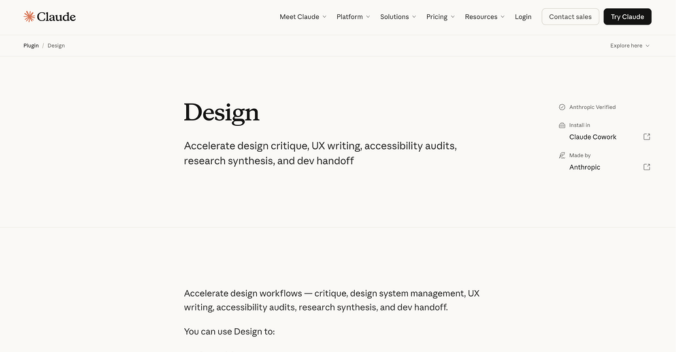
Claude Design is not just a UI generator. It’s part of a broader shift where AI moves from being a tool inside the workflow to becoming the workflow itself.
At its simplest, Claude Design converts text into:
- UI mockups
- prototypes
- pitch decks
- structured product flows
But that description massively undersells what’s actually happening.
What Claude Is Really Doing Under the Hood
Claude Design is powered by large language models trained to:
- understand intent
- structure information hierarchically
- generate systems, not just visuals
This is critical.
Unlike traditional design tools that operate on shapes, components, and layouts
Claude operates on meaning, context, and user intent
When you prompt it, it doesn’t just generate a UI – it builds:
- flow logic
- hierarchy
- interaction pathways
- content strategy
This is why its outputs often feel “product-ready” rather than “design-ready.”
The Big UX Shift: Designing Behavior Instead of Screens
Claude’s biggest impact is that it collapses:
- UX thinking
- UX writing
- flow design
- prototyping
Into a single step.
Instead of wireframe → prototype → test
You get: working interaction model instantly
It can generate:
- onboarding flows with progressive disclosure
- dashboards with structured data hierarchy
- multi-step journeys with edge cases baked in
This is possible because Claude treats UI as a representation of logic, not just visuals.
Why Claude Is Strong for Complex UX
Claude excels in environments where UX is not about screens – but systems.
For example:
- enterprise SaaS
- fintech onboarding
- multi-role platforms
Because it:
- maintains context across long flows
- understands dependencies between steps
- adapts logic when constraints change
This is aligned with its broader architecture – Claude models are designed for long-context reasoning and structured outputs, not just text generation
The Design–Development Bridge
One of the most important aspects of Claude Design is its integration with development workflows.
It connects design outputs with:
- code generation
- structured components
- implementation logic
This reduces one of the biggest UX bottlenecks: handoff between design and engineering
Instead of static files, teams get:
- interpretable systems
- closer-to-production outputs
This is something the industry has chased for years – and Claude is one of the first to make it practical
Where Claude Actually Breaks
Despite all this, Claude has real limitations:
1. Visual Precision Is Weak
It’s not built for pixel-perfect UI control.
You’ll still need traditional tools for:
- spacing refinement
- typography tuning
- visual polish
2. Over-Generalization Risk
Because it relies on learned patterns:
- flows can feel “correct” but generic
- differentiation requires heavy guidance
3. Prompt Quality = Output Quality
Bad thinking = bad UX
Claude doesn’t replace designers.
It just exposes how good your thinking actually is.
What Claude Is Really Replacing
Claude is not replacing UI tools. It is replacing:
- early-stage UX thinking
- documentation
- flow mapping
- product articulation
Google Stitch: From Idea to Interface in Seconds
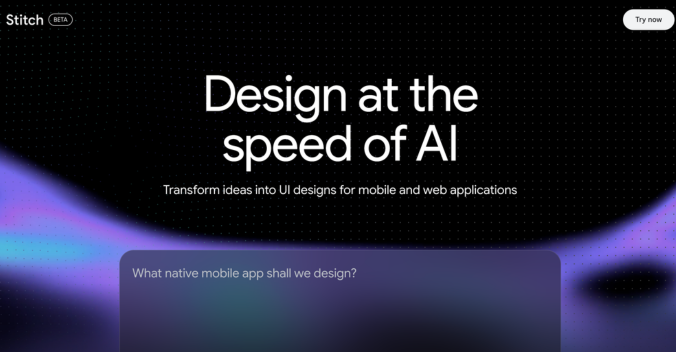
If Claude is about structuring thinking, Stitch is about compressing execution.
Developed under Google Labs, Stitch is designed to turn:
- prompts
- voice inputs
- even vague ideas
Into:
- full UI screens
- interactive prototypes
- frontend-ready code
What Stitch Actually Does (Beyond the Hype)
At a basic level, Stitch:
- generates UI from prompts
- connects screens into flows
- lets you preview interactions instantly
But the real power lies in how it handles entire systems at once.
It doesn’t just generate a screen
It generates a product slice
Including:
- navigation
- transitions
- state changes
“Vibe Design” and Why It Matters
Google calls Stitch’s approach “vibe design.”
This means:
You don’t specify exact UI rules.
You define:
- tone
- intent
- emotional direction
And the system translates that into:
- layout
- spacing
- visual hierarchy
For example:
“A calm, trustworthy health app for elderly users”
Stitch interprets that into:
- larger text
- softer colors
- simplified flows
This is fundamentally different from traditional UX processes.
The Biggest Disruption: Design + Code in One Step
Stitch collapses the entire pipeline:
From:
- design → dev → iteration
To:
- prompt → working product
It can output:
- HTML/CSS
- structured UI components
- exportable assets
This creates a direct bridge between:
- designers
- developers
and significantly reduces iteration cycles
Multi-Screen Generation and Flow Automation
One of Stitch’s strongest capabilities is its ability to:
- generate entire user journeys
- auto-create next screens
- simulate navigation
It can:
- “stitch” screens together
- preview flows instantly
- expand ideas across multiple states
This eliminates one of the most time-consuming UX tasks: manually connecting flows
Where Stitch Is Extremely Strong
Stitch dominates in:
1. Speed
You can go from idea → product in minutes.
2. Exploration
Generate:
- multiple UI directions
- different visual styles
- rapid variations
3. Early-Stage Product Work
Perfect for:
- MVPs
- concept validation
- stakeholder demos
4. Design–Dev Collaboration
Because outputs are:
- structured
- code-ready
Developers can start working almost immediately.
Where Stitch Falls Short
1. Shallow UX Logic
Compared to Claude:
- behavior modeling is weaker
- edge cases are often missing
2. Risk of Design Homogeneity
Because it learns from existing patterns:
- outputs can feel repetitive
- originality depends on strong input
Critics already point out that heavy reliance on such tools can lead to similar-looking products across industries
3. Limited Depth for Complex Systems
For enterprise-level UX:
- Stitch often needs manual refinement
- doesn’t fully capture system dependencies
What Stitch Is Really Replacing
Stitch replaces:
- wireframing
- UI exploration
- early prototyping
- initial frontend setup
It’s not replacing UX thinking – it’s replacing UX execution time.
Claude vs Stitch: The Real Difference
Most comparisons stop at features. That’s shallow.
The real difference is this:
| Layer | Claude | Stitch |
| Core Function | Understand & structure intent | Generate & execute UI |
| UX Depth | High (behavior, logic) | Medium (layout, flows) |
| Speed | Moderate | Extremely fast |
| Output Type | System thinking | Visual + code output |
| Risk | Overthinking / abstraction | Generic / repetitive UI |
The Deeper Truth
Claude is closer to: a product strategist
Stitch is closer to: a UI production engine
And UX today needs both.
How f1studioz Is Moving Ahead of the AI Curve
Watching these tools evolve isn’t new territory for us. Over the past couple of years, as AI capabilities in design started maturing from novelty to genuinely useful, the focus at f1studioz has been on rethinking workflows in a way that improves both speed and the quality of outcomes.
This began with a clear understanding of where AI adds value. Our team invested early in hands-on experimentation – running AI-generated flows alongside manually crafted ones, evaluating outputs across real use cases, and identifying where these systems hold up under complexity. These learnings now shape how AI is embedded into day-to-day design practice.
Where AI Has Strengthened the Workflow
Within f1studioz, the most meaningful impact of AI has emerged in the early stages of design – the phases that define direction before a single interface is created.
Research synthesis has become significantly more efficient. Large volumes of qualitative and quantitative inputs can be structured, clustered, and surfaced quickly, allowing teams to spend more time on interpretation and strategic decision-making. What previously required extended cycles of manual synthesis can now move faster without compromising depth.
Similarly, flow mapping and product articulation have become more streamlined. Translating stakeholder inputs into structured UX directions is now a more fluid process. AI is used here as a thinking accelerator – helping teams externalise ideas, test multiple approaches, and refine logic early in the process.
This has effectively introduced a new layer in the workflow: a rapid, iterative thinking environment that strengthens clarity before execution begins.
What Continues to Be Human-Led at f1studioz
While AI has enhanced speed and structure, the core of UX decision-making at f1studioz remains deeply human.
Defining the real problem behind a brief, understanding business and organisational context, and making judgment calls that balance user needs with practical constraints are areas that continue to rely on experience and expertise. These are critical to delivering outcomes that are relevant, differentiated, and aligned with real-world use.
Every AI-assisted output within our workflow goes through careful review. Flows are evaluated for completeness, edge cases are examined, and outputs are refined to ensure they meet the standards expected in enterprise-grade design. This ensures that speed is matched with precision and depth.
A Measured Approach to Evolving Tools
The AI space continues to evolve at a fast pace, with new capabilities emerging across platforms. At f1studioz, staying current is built on structured evaluation rather than reactive adoption.
Each new capability is tested internally, assessed against real workflow needs, and integrated only when it demonstrates clear value in improving outcomes. This approach ensures consistency in delivery while allowing the team to continuously strengthen its capabilities.
By maintaining this discipline, we ensure that every addition to the workflow is intentional, well-understood, and aligned with client needs.
A Continuous Evolution of Design Practice
At f1studioz, working with AI is viewed as an ongoing evolution of design practice. The focus is on strengthening how good UX is delivered – improving clarity, accelerating early-stage thinking, and enabling teams to operate with greater precision.
This approach reflects a broader shift in the industry, where the advantage lies in combining AI-driven efficiency with disciplined, human-led design thinking.
What This Means for UX as a Discipline
This is the part most people miss.
These tools are not improving UX workflows. They are changing what UX work is.
1. UX Is Moving Up the Stack
Designers are no longer:
- creating screens
They are:
- defining intent
- guiding systems
- validating outputs
2. Execution Is Becoming Commodity
Anything that involves:
- drawing layouts
- connecting screens
- basic prototyping
is being automated
The value shifts to:
- problem framing
- decision-making
- system design
3. Speed Is No Longer a Differentiator
Everyone can:
- generate fast
- iterate quickly
The new differentiator is judgment
Final Take
Claude and Stitch are not competing tools. They represent two sides of the same shift:
- Claude → thinking systems
- Stitch → building systems
The future of UX won’t belong to designers who use AI.
It will belong to those who understand when to rely on it, and when to override it.