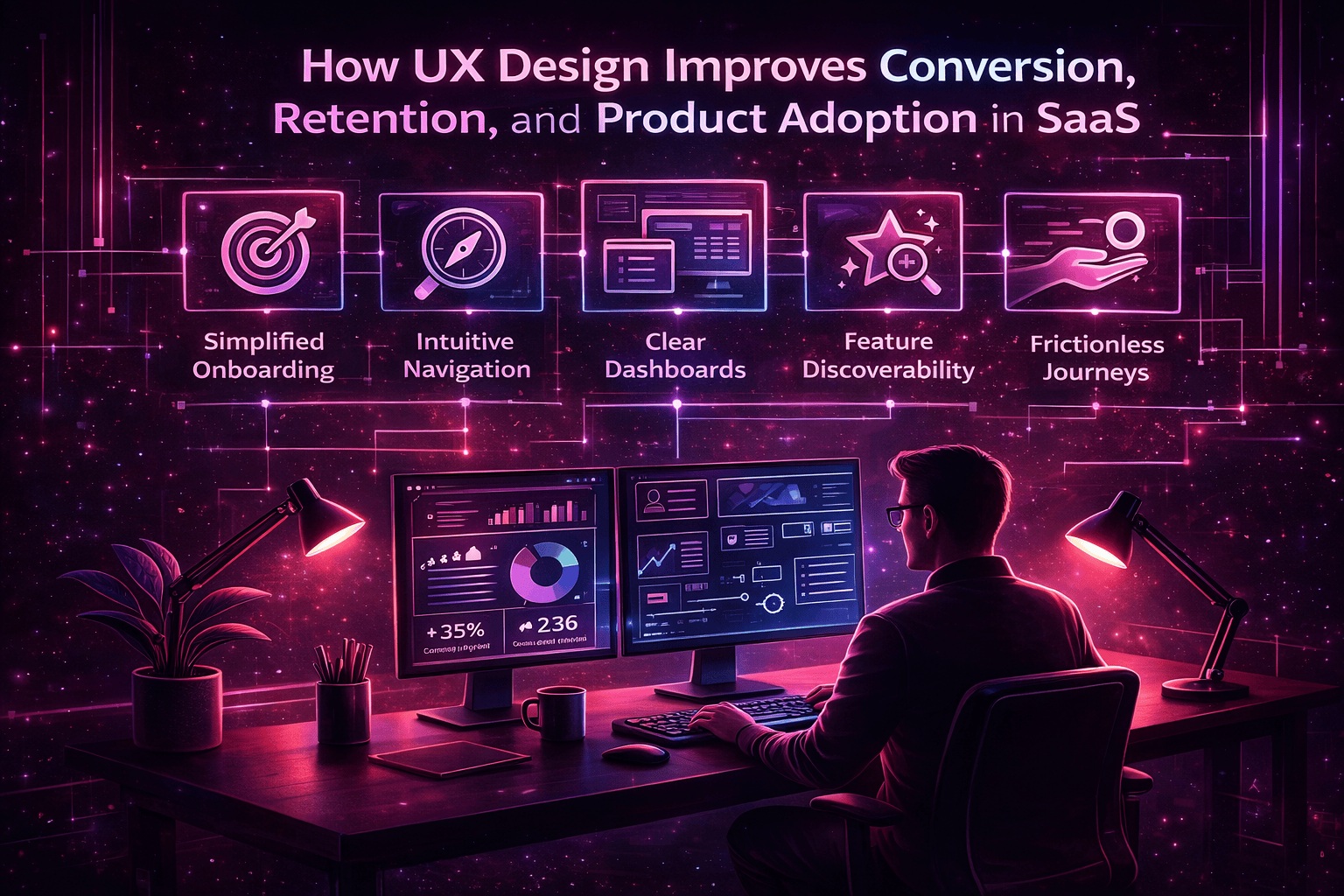

Nearly 70% of software features are rarely or never used. The culprit is almost never missing functionality. It’s poor usability. When users struggle to understand a product, they work around it, avoid it, or abandon it entirely. The business loses value from its own technology investment, not because the product lacks capability, but because users cannot access that capability intuitively.
This is a problem that plays out across industries every day. Organizations spend millions building or licensing software, then watch adoption stall because the interface wasn’t designed around how people actually work. The good news is that this is a solvable problem, and the solution is effective UI UX design.
This guide covers the fundamentals of UX design, the most common usability failures, the principles and research methods that lead to better products, and how to measure the real business value of good design.
Understanding UI UX Design in Modern Digital Products

The terms UI and UX are often used interchangeably, but they refer to distinct disciplines. UI – user interface design – focuses on the visual layer: layout, typography, color, buttons, icons, and the interactive components a user sees on screen. UX – user experience design – goes deeper. It covers the full experience of using a product: how users navigate between screens, how workflows are structured, how easy it is to complete a task, and how the product responds to mistakes or unexpected behavior.
Put simply, UI is what the product looks like. UX is how it works for the person using it. Great products need both, but UX sets the foundation.
Why UX Matters More as Products Become More Complex
Every new feature added to a product creates a potential friction point. Over time, interfaces that started out clean become layered with menus, settings, tabs, and toggles that users have to sift through to find what they need. Without deliberate UX architecture, complexity accumulates in ways that make products genuinely difficult to use – even for experienced users.
UX design provides the structure that keeps complexity manageable. It determines how features are grouped, how navigation scales, and how users are guided through tasks without feeling lost. The more capable a product becomes, the more important this structure is.
The Relationship Between Usability and Product Adoption
Users adopt products that make their lives easier. They abandon products that require effort to understand or that regularly trip them up with confusing flows and unclear labels. Adoption is not driven by feature lists – it’s driven by the experience of using the product day to day. A product that feels intuitive on the first use creates momentum. A product that requires a training session and a user manual creates resistance.
The Role of Cognitive Load in Product Usability
Cognitive load is the mental effort required to understand and interact with an interface. Every decision a user has to make, every label they have to interpret, and every step they have to remember adds to this load. Good UX minimizes cognitive load by establishing clear visual hierarchies, using familiar interaction patterns, and surfacing only the information relevant to the task at hand. When users can focus on the work rather than on understanding the interface, they work faster and make fewer mistakes.
Why UI UX Design Matters for Business Performance

The Cost of Poor Usability
Design problems are rarely described as business problems, but they function exactly that way. When an interface is confusing, the costs show up as increased support tickets, longer onboarding timelines, higher training expenses, slower task completion, and frustrated employees or customers who disengage over time. These are measurable operational costs, not abstract design concerns.
Impact on Employee Productivity
The productivity math is straightforward. If a poorly designed workflow causes an employee to spend two extra minutes on a task they complete twenty times a day, that’s forty minutes lost daily. Across a team of fifty people, that’s over thirty hours of lost productivity every single day. Multiply that across a year, and the business case for investing in UX improvements becomes very clear.
UX as a Competitive Advantage
In markets where products offer similar functionality, usability becomes a genuine differentiator. Companies that invest in design quality achieve stronger adoption rates, better customer satisfaction scores, and higher long-term retention. Users who find a product easy to use become advocates. Users who don’t, churn – often quietly.
How UX Influences Customer Retention and Revenue
Products that are easier to use tend to expand usage organically. When users can accomplish their goals without friction, they return more often, explore more features, and bring their colleagues along. Products that frustrate users do the opposite: usage stays narrow, renewals get questioned, and the product never reaches its potential within the organization.
The Most Common UX Problems That Reduce Product Adoption

Confusing Navigation Structures
When menus are organized around internal logic rather than user goals, users struggle to find what they need. Navigation problems are one of the fastest ways to lose a user’s confidence. If finding a feature requires digging through multiple levels of menus, many users simply won’t bother – they’ll assume the feature doesn’t exist or ask for support instead.
Feature Overload and Poor Discoverability
Many products are far more capable than their users realize. The problem isn’t that features are missing – it’s that features are buried. When an interface doesn’t guide users toward relevant capabilities, much of the product’s value goes untapped. Users end up using a fraction of what they’re paying for.
Long and Error-Prone Workflows
Forms with unclear labels, multi-step processes with no progress indication, and workflows that don’t validate input in real time all contribute to mistakes and frustration. Complex workflows that could be simplified into fewer steps slow down task completion and erode user confidence in the product.
Inconsistent Interface Patterns
When buttons behave differently in different parts of a product, when navigation changes between modules, or when the same action is triggered by different gestures in different contexts, users have to relearn the interface constantly. Inconsistency makes products harder to master and harder to trust.
Dashboard Overload
Data-rich dashboards are common in enterprise software, but many of them present information without hierarchy or purpose. When a dashboard shows everything, users have to work hard to find what actually matters. Dashboards that prioritize insight over raw data help users act, not just observe.
Legacy UI Limitations
Products built five or ten years ago carry the design assumptions of the era in which they were created. As the product has grown, those assumptions may no longer hold. Legacy interfaces often contain outdated patterns, inconsistent visual systems, and structural decisions that make it difficult to extend or update the product without making usability worse.
UX Design Principles That Improve Product Adoption

Design Around User Workflows
Effective UX starts with understanding how users work, not with designing screens. Before any interface decision is made, the team should understand what tasks users need to complete, in what order, under what constraints, and with what information. Designing around real workflows produces interfaces that feel natural rather than awkward.
Reduce Cognitive Load
Interfaces should show users only what they need for the current task. Secondary controls, advanced settings, and contextual details can be kept out of sight until the user asks for them. Every element that doesn’t serve the immediate task increases mental effort without delivering value.
Use Progressive Disclosure
Progressive disclosure is the practice of revealing complexity incrementally. Summary-level information is shown first; deeper detail is available on demand. This approach makes complex products feel approachable without hiding capability. Users can engage at the level that’s appropriate for their current goal.
Maintain Consistent Interaction Patterns
Patterns that are consistent across a product are patterns that users only have to learn once. When a confirm action always behaves the same way, when filters always appear in the same position, and when navigation follows predictable rules, users can move through the product faster and with greater confidence.
Prioritize Error Prevention
The best error message is the one that never appears. Well-designed forms, clear input labels, real-time validation, and sensible defaults prevent mistakes before they happen. UX that waits for users to fail before intervening puts the burden in the wrong place.
Design for Role-Based Experiences
Different users have different jobs. A manager, an analyst, and a field technician all use the same product differently and need access to different information. UX that accommodates role-based differences creates a more relevant and efficient experience for each type of user.
UX Research Methods That Improve Usability

Design assumptions often fail. What seems logical to the people who built a product can be completely unintuitive to the people who use it. User research closes that gap by revealing how users actually behave, what they expect from an interface, and where they encounter difficulty.
Contextual Inquiry
Contextual inquiry involves observing users as they perform tasks in their real work environment. Rather than asking users what they do, this method captures what they actually do – including the workarounds, shortcuts, and frustrations that they wouldn’t think to mention in an interview. It’s one of the most reliable ways to understand genuine workflow challenges.
Usability Testing
Usability testing involves watching users interact with a product while they attempt specific tasks. It reveals exactly where users hesitate, where they make mistakes, and where they give up. Even brief usability tests with a small number of participants can surface significant design problems.
Task Analysis
Task analysis breaks complex workflows down into individual steps to identify inefficiencies, unnecessary steps, and points where users are likely to make mistakes. It provides the raw material for simplifying and improving workflows.
Analytics and Behavioral Data
Product analytics reveal patterns that individual sessions can’t show: where users drop off in multi-step flows, which features are rarely accessed, which pages generate the most support requests. Behavioral data is most useful when it’s used to raise questions that research then answers.
UX Strategies That Increase Product Adoption

Clear Onboarding Experiences
First impressions matter. Onboarding flows that guide new users to the core value of a product quickly reduce early drop-off and accelerate the point at which users become productive. Effective onboarding doesn’t overwhelm users with everything the product can do – it helps them accomplish something meaningful as fast as possible.
Feature Discovery Through Design
Contextual prompts, in-product tooltips, and progressive guidance help users discover capabilities at the moment they’re most relevant. Rather than documenting features in a manual that users won’t read, design can surface the right information at the right point in the workflow.
Simplifying Multi-Step Workflows
Every unnecessary step in a workflow is a point where users can lose momentum or make mistakes. Reviewing key workflows for redundancy and simplifying them where possible has a direct impact on task completion speed and user satisfaction.
Designing Dashboards That Support Decisions
A good dashboard doesn’t just display data – it helps users understand what’s happening and what to do about it. Dashboards should be designed around the decisions users need to make, not around the data that happens to be available. Clear hierarchy, relevant metrics, and logical grouping separate actionable dashboards from data walls.
Modernizing Existing Products with Better UX

The Challenge of Legacy Interfaces
Most enterprise products were not designed from scratch with current UX knowledge. They grew over time, with features added by different teams across different years. The result is often an interface with inconsistent patterns, outdated visual systems, and structural decisions that were pragmatic at the time but are now limiting.
Incremental UX Improvements
Modernizing a product’s UX does not require a complete redesign, which would be disruptive and expensive. Improvements can be delivered incrementally – one module, one workflow, or one user segment at a time. This approach allows organizations to make meaningful progress without disrupting ongoing operations.
Reducing Design Debt
Design debt is the accumulation of inconsistent, temporary, or outdated design decisions over a product’s lifetime. Like technical debt, it compounds. Small inconsistencies become significant friction points as they multiply across a product. Addressing design debt systematically improves both the user experience and the maintainability of the interface.
Establishing Design Systems
A design system is a library of reusable components, documented patterns, and shared interaction principles that teams can apply consistently across a product. Design systems reduce the cost of future development, eliminate inconsistency, and make it easier to maintain coherence as the product grows.
Enterprise UX Expertise from f1Studioz
Designing complex enterprise software requires a different kind of UX expertise than designing consumer applications. Enterprise products involve multiple user roles, high information density, integration with other systems, and workflows that have real operational consequences when they break down.
f1Studioz brings deep experience to this environment. Their work spans enterprise platforms, data-intensive dashboards, and large-scale business applications – with a consistent focus on simplifying complex workflows, improving usability for systems that handle significant amounts of information, and helping organizations modernize legacy digital products without disrupting the business operations that depend on them.
Measuring the ROI of UX Design

Faster Task Completion
One of the clearest indicators of UX improvement is a reduction in the time required to complete common tasks. When users spend less time navigating to what they need and less time recovering from mistakes, the productivity gains are direct and measurable.
Higher Product Adoption Rates
Intuitive products get used. When users can engage with a product without friction, they return more frequently and explore more of its capabilities. Higher adoption means more value realized from the investment.
Reduced Support Tickets
A significant portion of support requests are caused by usability issues rather than technical bugs. Users open tickets when they can’t figure out how to complete a task, not always because something is broken. UX improvements that clarify navigation and workflows reduce this category of support volume measurably.
Lower Training Costs
Products that are easy to understand reduce the investment required to onboard new users. Less time in training, fewer pages of documentation, and faster time to proficiency all contribute to lower operational costs.
The Business Mindset Shift
UX should not be evaluated as a design quality metric alone. The right framework for measuring UX investment is business performance: how much time is saved, how much adoption has improved, how support costs have changed, and how much more value users are extracting from the product. When UX is measured this way, the case for sustained investment becomes straightforward.
FAQs
What is the difference between UI and UX design?
UI design focuses on the visual and interactive elements of an interface – layout, colors, typography, and controls. UX design focuses on the overall experience of using a product, including how efficiently users can complete tasks, how navigation is structured, and how the product responds to user behavior.
How does UX design improve product adoption?
Intuitive navigation, clearly structured workflows, and thoughtful feature discovery make it easier for users to get value from a product quickly. When a product feels easy to use, users engage with it more and stick with it longer.
What are the biggest usability problems in enterprise software?
The most common issues are confusing navigation structures, feature overload with poor discoverability, inconsistent interface patterns, overly complex workflows, and dashboard designs that present too much data without hierarchy.
Can UX improvements increase employee productivity?
Consistently, yes. Faster workflows, fewer errors, and less time spent searching for features or recovering from mistakes add up to meaningful productivity gains – especially when multiplied across large teams.
How do companies measure UX success?
Key metrics include task completion rate, time on task, feature adoption, user satisfaction scores, and the volume of usability-related support tickets. Together, these indicators give a clear picture of whether design changes are delivering real value.
What is a UX audit and when should it be conducted?
A UX audit is a structured evaluation of a product’s usability, using heuristic review, analytics data, and user feedback to identify friction points and prioritize improvements. It’s most valuable before a major redesign, when adoption is stalling, or when support volumes suggest users are struggling.
Is UX important for enterprise products as well as consumer apps?
It’s arguably more important. Enterprise products are used by employees who have to accomplish real work under real time pressure. The complexity is higher, the workflows are more critical, and the cost of poor usability in terms of lost productivity and user frustration is far greater.
Conclusion
UI UX design plays a central role in determining whether a digital product delivers on its promise. Features matter, but they only create value when users can find and use them efficiently. Poor usability wastes investment, frustrates users, and prevents organizations from getting full value from the tools they’ve built or bought.
Successful digital products are not defined only by the features they offer – they are defined by how easily people can use them. Strong UX design transforms complex software into tools that people actually want to engage with, day after day. For organizations serious about adoption, productivity, and digital transformation, design is not a finishing touch. It is foundational.