AI-assisted design systems help product teams create, manage, and improve digital interfaces with greater consistency. They combine reusable UI components, design tokens, design guidelines, and AI tools to support everyday design and development work.
For example, imagine a SaaS company with hundreds of screens. Its designers and developers use the same buttons, tables, forms, and navigation patterns across multiple products.
When a design guideline changes, updating every screen manually can take considerable effort. AI can help identify inconsistent patterns, suggest updates, and assist with documentation. The team still reviews the changes before they become part of the product.
That is the value of AI-assisted design systems: using AI to support consistent design decisions without giving up human control.
In this guide, we’ll explain how AI-assisted design systems work, their benefits, the tools that support them, and how enterprise and SaaS teams can implement them.
What Is an AI-Assisted Design System?
An AI-assisted design system is a collection of reusable UI components, design tokens, accessibility guidelines, and documentation supported by artificial intelligence. AI helps teams find components, suggest design improvements, automate repetitive tasks, and maintain consistency across digital products.
A traditional design system already provides shared rules for how a product should look and behave. AI adds another layer of assistance by helping designers and developers apply those rules more efficiently.
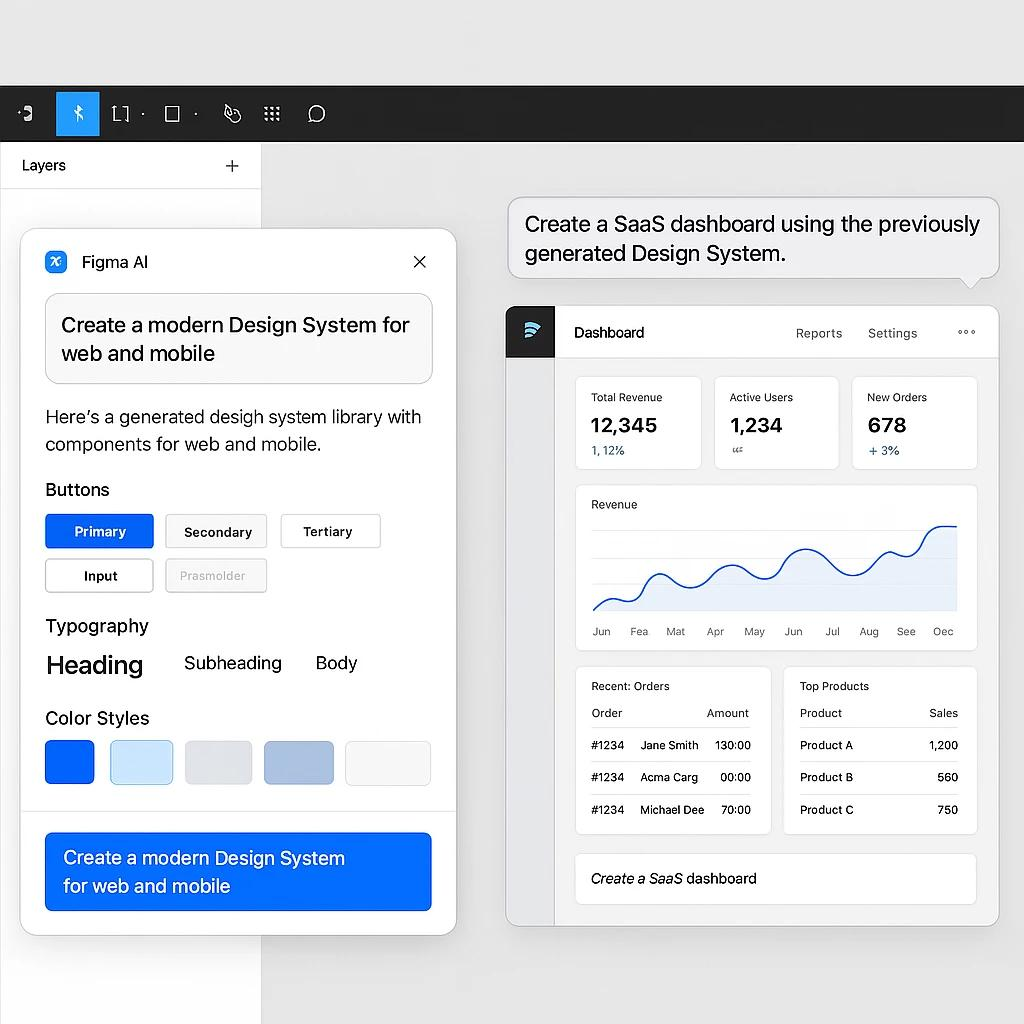
For example, a designer creating a new analytics dashboard might need buttons, data tables, filters, and notification components.
Instead of rebuilding each element, an AI tool with access to the approved design system can help identify suitable components or produce an initial layout using established styles.
The designer then reviews the result for usability, visual hierarchy, accessibility, and business requirements.
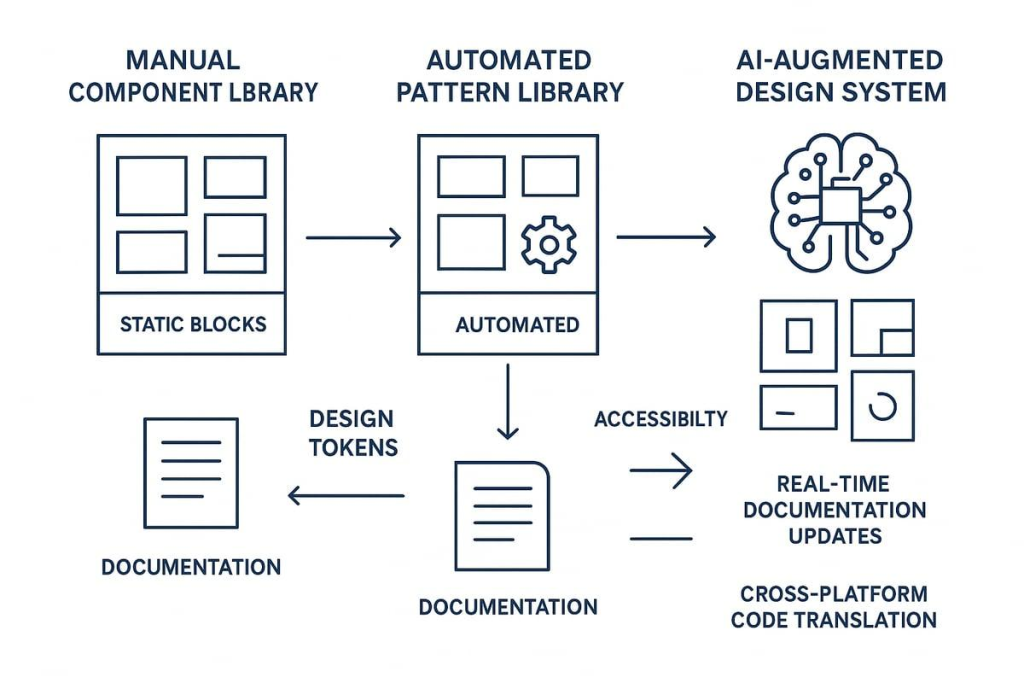
Traditional vs. AI-Assisted Design Systems
| Feature | Traditional Design System | AI-Assisted Design System |
| Component discovery | Designers search libraries manually | AI can suggest relevant components |
| UI creation | Designers assemble interfaces | AI can assist with layout generation |
| Design consistency | Maintained through manual reviews and tools | AI can help identify inconsistencies |
| Documentation | Written and updated by teams | AI can draft and organize documentation |
| Design tokens | Managed through established tools | AI can assist with reviewing token usage |
| Accessibility | Checked through reviews and testing tools | AI can assist with selected checks |
| Design decisions | Made by designers and product teams | Still require human judgment |
The difference is not that AI replaces the traditional design system.
A design system remains the foundation. AI helps teams work with it.
Why Are AI-Assisted Design Systems Important?
As digital products grow, maintaining consistent design becomes more difficult.
A startup may begin with a few product screens and one design team. Over time, the same product may expand to hundreds of screens, multiple platforms, and different user roles.
Without a structured design system, teams can start creating their own versions of similar components.
One product may use rounded buttons, another may use square buttons, and a third may use completely different form styles.
These differences create unnecessary work and make the experience harder to maintain.
AI-assisted design systems can help teams address several common problems.
1. Faster Design Workflows
Designers spend time searching for existing components, checking spacing, documenting patterns, and reviewing repetitive changes.
AI can assist with some of these tasks, allowing teams to spend more time understanding user problems and improving workflows.
For example, an AI tool can help identify screens that use an outdated button style.
Rather than inspecting every screen individually, the designer can review a suggested list of affected components and plan the update.
2. Better Design Consistency
A consistent user interface helps people understand how a product works.
When navigation, buttons, forms, and notifications behave similarly across screens, users do not need to relearn familiar interactions.
AI can support consistency by identifying differences between existing designs and approved component rules.
However, the quality of these suggestions depends on the design-system information available to the AI.
3. Easier Design System Maintenance
Design systems need regular maintenance as products evolve.
Teams introduce new components, change design tokens, update accessibility guidelines, and retire outdated patterns.
AI assistance can make it easier to identify outdated documentation, inconsistent naming, and components that need review.
4. Improved Collaboration
Designers, developers, and product teams often work with different tools.
An AI-assisted workflow can help make component specifications and implementation requirements easier to access.
This reduces the effort involved in finding information, although teams still need clear documentation and ownership.
5. More Scalable Product Design
A shared design system becomes increasingly useful when companies manage multiple SaaS products, enterprise applications, or customer-facing platforms.
AI assistance can help teams reuse established patterns instead of creating unnecessary variations.
For a deeper explanation of managing large-scale design systems, read our guide to building, scaling, and governing enterprise design systems.
How Does AI Work with Design Systems?
AI-assisted design systems work by combining existing design information with AI tools that can interpret instructions, suggest changes, or generate outputs.
The quality of the result depends heavily on the information the system receives.
A useful AI-assisted workflow typically involves five elements.
1. Design Tokens
Design tokens are reusable values that define visual properties such as colors, typography, spacing, and border radius.
For example, a product might use these tokens:
- Primary action color: the approved brand color used for main actions
- Small spacing: the standard space between related elements
- Body text size: the default size for interface text
- Border radius: the standard corner treatment for cards and buttons
Rather than storing these decisions separately across hundreds of screens, teams manage them as reusable values.
AI can help inspect where tokens are being used, identify possible mismatches, and suggest changes.
However, approved token updates should still follow the team’s design-system governance process.
To understand the foundation, explore design tokens vs. traditional style guides.
2. Reusable UI Components
UI components are interface elements designed to be used repeatedly.
Common examples include:
- Buttons
- Text fields
- Search bars
- Navigation menus
- Modal windows
- Data tables
- Notification messages
Each component can have different states, such as default, hover, disabled, loading, and error.
An AI tool with access to component definitions can suggest suitable components for a new screen.
For example, when asked to create a customer management dashboard, it may suggest the approved table, search, filter, and pagination components.
The advantage is not simply generating a screen faster. It is helping the team build with components that already follow agreed product standards.
3. Design Guidelines and Documentation
A design system should explain when and how components should be used.
For example, documentation might explain:
- When to use a primary button
- When a confirmation dialog is required
- Which form fields are mandatory
- How error messages should appear
- How navigation should behave on mobile
- Which accessibility requirements apply
AI can help summarize documentation, answer questions about approved patterns, and draft new component guidance.
But these outputs should be checked against the current source documentation.
4. Design-to-Code Integration
A design system becomes more useful when designers and developers share a common understanding of components.
Tools such as Figma, Storybook, and design token management tools help connect design specifications with implementation.
AI-enabled development workflows can use additional design context to identify intended components and reduce unnecessary differences between design and code.
For example, an AI coding assistant may use approved component information to implement a screen with an existing button component instead of creating another custom button.
This still requires code review, functional testing, and visual validation.
5. AI Context and MCP
Model Context Protocol (MCP) helps compatible AI tools connect to external information and services.
In design workflows, MCP integrations can help AI tools access relevant design information, depending on the integration and permissions available.
For example, an AI-enabled development tool may receive information about Figma components, layout properties, or design decisions.
This gives the AI more useful context than a text prompt alone.
Without that context, AI may generate an interface that looks reasonable but does not follow the product’s actual design system.
The key principle is simple: AI works better when it understands the design rules it should follow.
What Can AI Automate in Design Systems?
AI can assist with several design-system activities. However, the level of automation depends on the tool, system configuration, and available data.
1. Finding the Right Components
Large component libraries can be difficult to navigate.
AI-assisted search can help designers find components based on what they need to accomplish.
For example, a designer might request:
“Find the approved data table component with filtering and sorting.”
A connected tool could identify relevant components from the available library.
2. Creating Initial UI Layouts
AI tools can generate draft interfaces from natural-language instructions.
For example:
“Create a B2B SaaS analytics dashboard with a sidebar, revenue summary, customer table, and date filter. Use the approved design system.”
The result can provide a starting point for design exploration.
The designer should then review layout priorities, content, interaction patterns, responsive behavior, and accessibility.
3. Reviewing Component Consistency
AI can assist with identifying potential design inconsistencies.
Examples include:
- Incorrect spacing
- Outdated component names
- Unapproved visual styles
- Inconsistent token usage
- Duplicate component patterns
These checks can reduce manual review effort, but automated findings are not always correct.
4. Supporting Accessibility Checks
AI-enabled tools can help identify selected accessibility issues, such as unclear labels or possible contrast problems.
However, an AI-generated accessibility report does not establish full compliance.
Accessible design also requires keyboard testing, screen-reader testing, semantic implementation, and evaluation of real user workflows.
Teams can use the WCAG 2.2 accessibility guidelines as a reference.
5. Updating Documentation
Documentation can become outdated as components change.
AI can help draft descriptions, compare component information, and highlight documentation that may need updating.
For example, when a button component gains a loading state, AI can help prepare an updated description.
A design-system owner should approve the documentation before publication.
6. Supporting Design-to-Code Handoff
AI can help translate design context into implementation suggestions.
This may include identifying components, explaining layout specifications, and producing initial code drafts.
The goal is to help developers use the correct patterns, not to eliminate technical review.
Best AI Tools for Design Systems in 2026
Not every AI design tool is built specifically for design-system management.
Some tools focus on interface generation. Others support token management, component documentation, or development workflows.
The following tools can play different roles in an AI-assisted design-system workflow.
| Tool | Main purpose | How it supports the workflow |
| Figma Agent | AI-assisted design work | Supports design exploration and selected library-maintenance tasks |
| Figma Make | AI-assisted prototyping | Helps create interactive product concepts with design context |
| Figma MCP | Design context integration | Connects supported AI workflows with Figma information |
| Tokens Studio | Design token management | Helps organize reusable design values |
| Storybook | UI component documentation | Provides a structured source for component behavior and usage |
| Style Dictionary | Design token transformation | Helps prepare token values for different platforms |
| AI coding assistants | Development assistance | Can use supplied system context to suggest implementations |
These tools are not interchangeable.
A token management tool does not automatically generate good UX, and an AI prototyping tool does not replace design-system governance.
Figma Agent and Design Systems
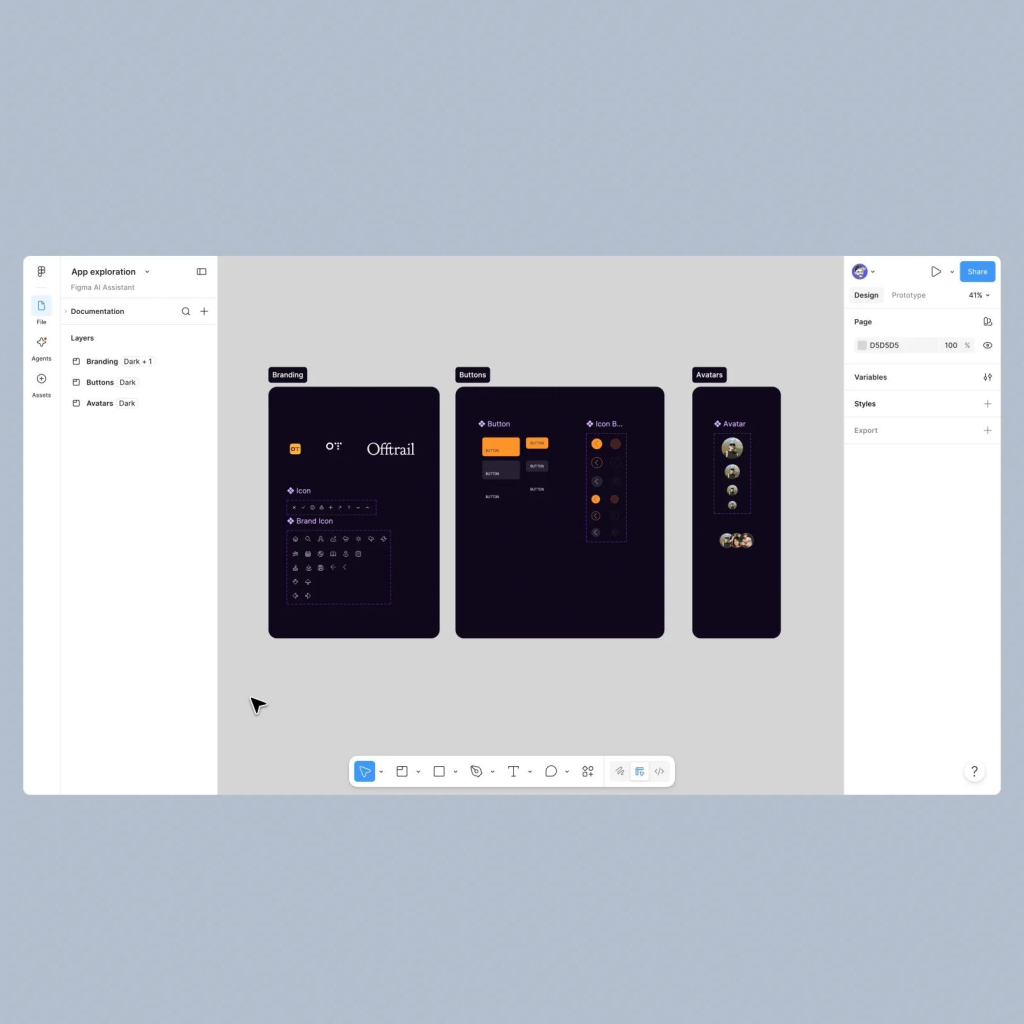
Figma introduced its design agent in May 2026 and expanded its capabilities during the year.
By October 2026, Figma had documented workflows for assisting with repetitive design-system maintenance tasks.
These include identifying naming problems, reviewing token usage, and helping teams keep libraries consistent.
Official reference: How to Lighten Design System Upkeep with the Figma Agent.
Figma MCP and Design-to-Code
Figma MCP can help supported AI development workflows work with design context.
This is useful because a design is more than an image. It contains component choices, layout decisions, styles, and information about intended behavior.
With suitable context, AI can make more informed implementation suggestions.
Official reference: Figma MCP resources.
Storybook for Component Documentation
Storybook helps development teams document and review reusable UI components.
It can serve as a useful source of component information in a broader AI-assisted workflow.
However, Storybook itself should not be treated as a complete AI design-system solution.
For a broader comparison of AI product design tools, read our guide to the best AI tools for UI/UX designers in 2026.
How to Build an AI-Assisted Design System
Build a Smarter, Scalable Design System
From design tokens to reusable UI components, F1 Studioz helps teams create design systems that grow with their products.
Explore Our Design System Services →Building an AI-assisted design system does not mean connecting an AI tool and asking it to design an entire product.
The first step is creating a reliable design foundation.
Here is a practical six-step approach for SaaS and enterprise product teams.
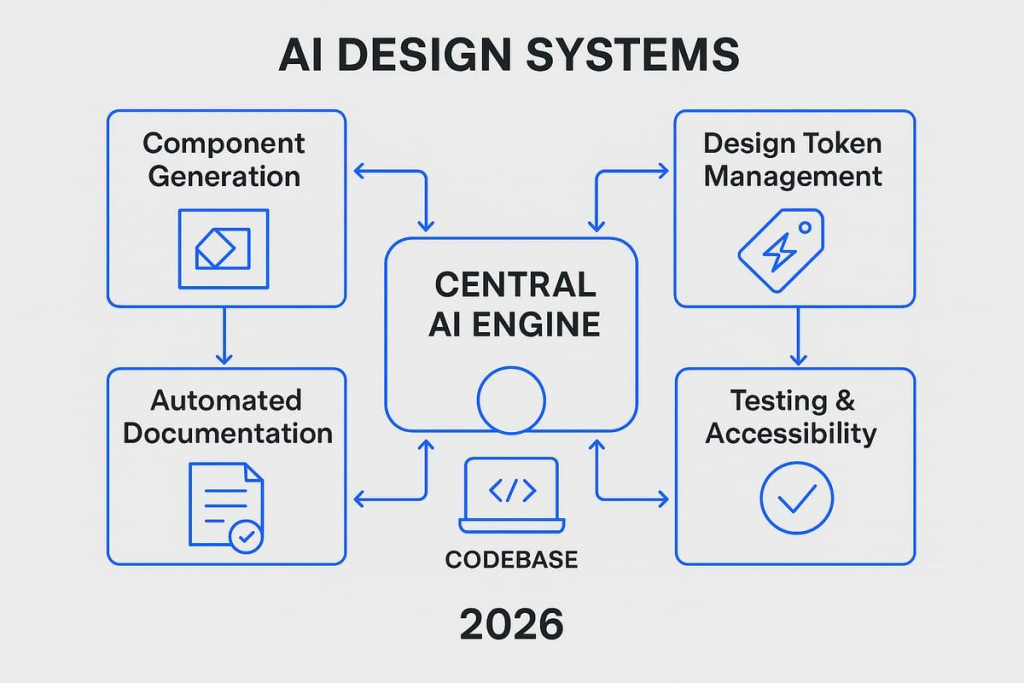
Step 1: Audit Your Current UI
Start by reviewing existing product screens, design files, and components.
Identify:
- Duplicate buttons and form elements
- Inconsistent spacing
- Outdated styles
- Missing component states
- Different navigation patterns
- Accessibility problems
For example, a SaaS product may have several versions of a primary button.
Before introducing AI automation, the team should decide which version is approved and where it should be used.
Output: A list of existing components, inconsistencies, and priorities.
Step 2: Define Design Tokens
Create a structured set of design tokens covering colors, typography, spacing, borders, and other reusable values.
Where useful, separate tokens into three levels:
Global tokens: Basic values such as colors and spacing.
Semantic tokens: Values assigned a purpose, such as the primary action color.
Component tokens: Values used by specific components, such as a button background.
This structure helps teams maintain consistency across applications and themes.
Output: An approved design token library.
Step 3: Organize Your Component Library
Create or improve reusable components in the design tool and development framework.
Each component should include its relevant states and usage rules.
For example, a button component may require:
- Default state
- Hover state
- Focus state
- Disabled state
- Loading state
- Error handling where appropriate
Avoid creating several versions of the same component without a clear reason.
Output: A structured, reusable component library.
Step 4: Connect AI to Approved Design Context
Choose an AI tool that supports your intended workflow.
Where supported, provide access to the relevant component library, design tokens, and documentation through approved integrations.
Make sure access permissions are appropriate.
Test simple tasks first, such as identifying a component, summarizing usage rules, or drafting a new component description.
Do not begin with uncontrolled changes across the entire library.
Output: A limited AI-assisted workflow using approved design information.
Step 5: Test the AI-Generated Results
Review whether AI suggestions follow established rules.
Check:
- Correct component use
- Token consistency
- Accessibility
- Usability
- Content clarity
- Interaction behavior
- Responsive design
- Development feasibility
For example, if AI generates a new form, verify whether it uses approved input components and correctly handles validation.
Output: Reviewed and approved design work.
Step 6: Set Up Governance and Measurement
Define who can approve changes, how components are updated, and when AI-generated recommendations require review.
Track how the design system performs over time.
Useful measurements include component reuse, design consistency, documentation coverage, and rework.
Output: A maintained design system with clear ownership and review standards.
A Practical Example: Building a SaaS Dashboard with AI
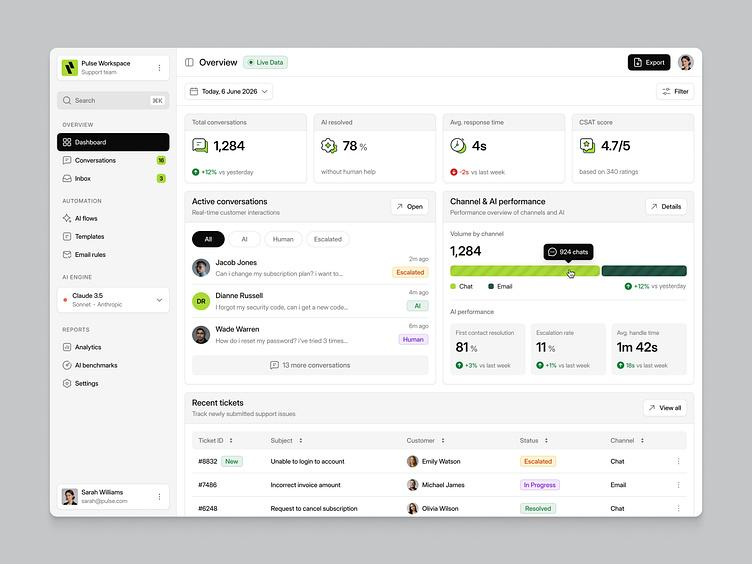
Consider a fictional B2B SaaS company developing a customer support dashboard.
The product needs to display open tickets, urgent issues, agent performance, and customer satisfaction data.
Without an established design system, designers might create new tables, cards, filters, and buttons for each dashboard.
With an AI-assisted design system, the workflow could look different.
Step 1: Define the user need. A support manager needs to identify urgent cases and assign work quickly.
Step 2: Select approved components. The team uses existing navigation, tables, filters, cards, and status indicators.
Step 3: Generate an initial layout. An AI tool helps assemble an initial dashboard using available design-system context.
Step 4: Review the experience. Designers check which information should appear first and whether urgent tasks are easy to identify.
Step 5: Test the workflow. Representative users attempt to find, assign, and manage support tickets.
Step 6: Improve and document. The team updates the dashboard based on findings and documents any new reusable patterns.
The important point is that AI helps speed up selected steps.
It does not determine whether the workflow is useful. That decision still depends on research, testing, and product judgment.
Benefits of AI-Assisted Design Systems
The benefits of AI-assisted design systems depend on how well the underlying design system is maintained and how AI is integrated into the workflow.
| Benefit | How it helps |
| Faster repetitive work | Reduces manual searching, checking, and documentation effort |
| Greater consistency | Helps identify differences from approved design patterns |
| Better component discovery | Makes large libraries easier to navigate |
| Easier maintenance | Supports identifying outdated components and documentation |
| Better team alignment | Helps teams access shared design information |
| Scalable design workflows | Supports reuse across products and teams |
Can AI Reduce Design System Costs?
AI can reduce the effort required for certain repetitive tasks.
For example, automating part of a component review may reduce the time designers spend checking large collections of screens.
However, cost savings are not automatic.
Teams must also account for tool subscriptions, setup, integration, training, review, security, and ongoing maintenance.
The right way to evaluate savings is to compare the total effort before and after introducing AI, while checking that the quality of work remains acceptable.
Struggling to Scale Your Design System?
F1 Studioz helps product teams build consistent, reusable design systems for complex SaaS and enterprise applications.
Talk to Our UX Experts →How to Measure AI Design System Performance
AI-assisted design systems should be evaluated using practical workflow and quality measurements.
| Metric | What to measure | Why it matters |
| Component reuse rate | Use of approved reusable components | Shows system adoption |
| Design consistency | Number of verified deviations from design rules | Tracks standardization |
| Time to complete a task | Time required for a defined design activity | Measures efficiency |
| Review effort | Time spent checking generated outputs | Identifies hidden workload |
| Documentation coverage | Components with current, approved guidance | Shows maintainability |
| Rework rate | Work requiring correction after review | Measures output quality |
| Accessibility findings | Issues identified and resolved | Supports accessibility improvement |
Example: Measuring Time Saved
Suppose a team usually spends 40 minutes preparing documentation for a component.
After introducing AI-assisted drafting, the process takes 15 minutes, including human review.
The time reduction is:
(40 − 15) ÷ 40 × 100 = 62.5%
This is an illustrative calculation, not a reported industry result.
To establish actual savings, a team should measure comparable tasks using its own data.
It should also check whether AI-generated documentation remains accurate and useful.
Challenges of AI-Assisted Design Systems
AI assistance introduces new opportunities, but it also creates new risks.
1. Inaccurate Design Suggestions
AI may recommend an incorrect component or misunderstand a design guideline.
Solution: Use approved design context and require reviews for important changes.
2. Inconsistent Generated Interfaces
Without design-system constraints, AI may create visually inconsistent layouts.
Solution: Provide reusable components, tokens, and documented usage rules.
3. Accessibility Problems
AI can overlook interaction details, keyboard behavior, or accessibility requirements.
Solution: Combine automated checks with manual accessibility testing.
4. Data Privacy and Security
Connecting AI tools to design files may expose internal product information.
Solution: Review access permissions, data handling, and organizational security requirements before connecting tools.
5. Over-Reliance on Automation
Teams may accept generated designs because they were produced quickly.
Solution: Evaluate every important recommendation against user needs and business goals.
6. Poor Design System Governance
AI cannot reliably maintain a design system when teams have not agreed on component ownership or approved standards.
Solution: Define clear contribution, review, and version-control processes.
A reliable design system must come before reliable AI automation.
How F1 Studioz Approaches Design Systems
At F1 Studioz, our work includes enterprise UX design, SaaS product design, UX research, and scalable design systems.
We work with organizations that need to manage complex workflows, multiple user roles, and consistent digital experiences across products.
Our approach to design-system work focuses on understanding user needs, establishing reusable patterns, and connecting design decisions with product development.
Experience Building Scalable Design Systems
One example from our published portfolio is an energy simulation platform for which F1 Studioz reports building a design system with more than 1,000 components.
A component library of this scale illustrates why design-system structure, reuse, documentation, and governance matter in complex enterprise environments.
Another published project involves a contact center platform, where F1 Studioz reports an 80% increase in user adoption after improving workflows and usability.
These are company-reported project outcomes, not typical results that every organization should expect.
Explore more about our enterprise design expertise and project work.
Where AI Fits into the Design Process
An important distinction is that experience building design systems does not automatically mean AI was used in those projects.
For teams considering AI-assisted workflows, the existing design-system foundation provides the context AI tools need.
Our view is that AI assistance should support established UX practices rather than replace them.
User research, information architecture, interaction design, accessibility, and usability validation remain essential.
AI can help accelerate repetitive work, but product teams still need to decide what should be designed, why it matters, and how the experience should work.
When Should a Business Consider AI-Assisted Design Systems?
Organizations may benefit from exploring AI assistance when they have:
- A large design-system component library
- Multiple products using shared UI patterns
- Repeated documentation and maintenance tasks
- Frequent design-to-development handoffs
- Established design tokens and component guidelines
- A need to improve design-system adoption
If the design system is still inconsistent or poorly documented, improving that foundation may be more valuable than introducing automation immediately.
For teams planning a scalable component system, explore our design token and design system services.
The Future of AI-Assisted Design Systems
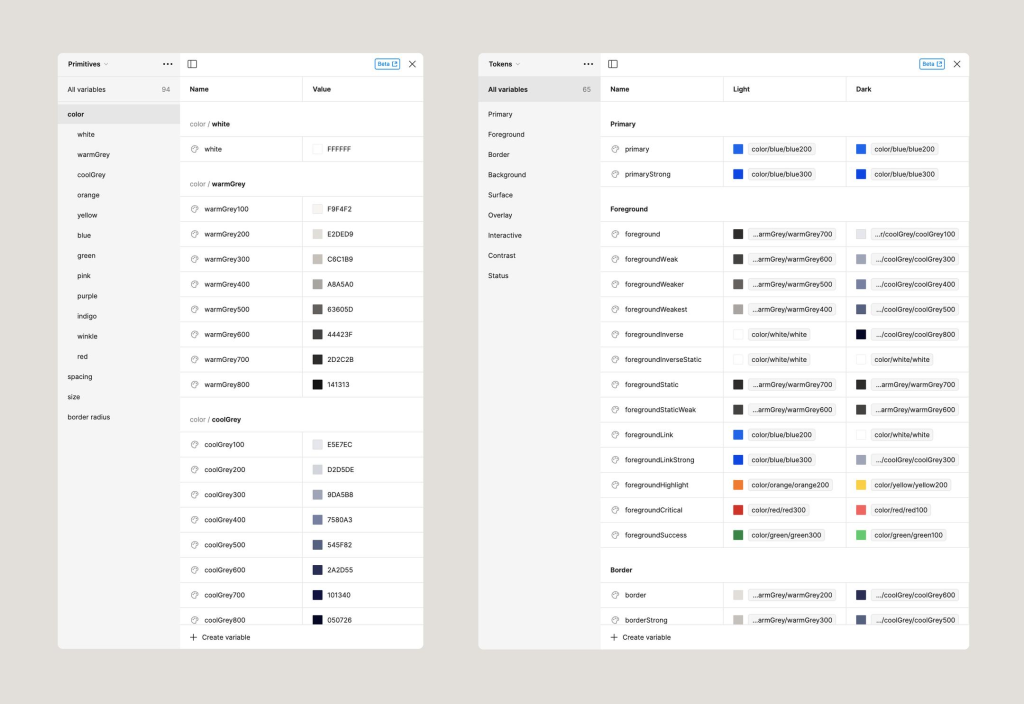
AI-assisted design systems are moving beyond isolated layout generation.
As integrations improve, AI tools can increasingly work with design context, reusable components, token libraries, documentation, and development environments.
Several developments are worth watching.
1. More Context-Aware Design Assistance
AI tools can become more useful when they understand a product’s approved components and design decisions.
This reduces reliance on generic design suggestions.
2. Closer Design and Development Workflows
Design-to-code integrations may help teams keep implementation more closely aligned with design specifications.
However, generated code still requires testing, review, and maintenance.
3. Better Design System Maintenance
AI-assisted checks can help teams identify outdated documentation, inconsistent components, and other maintenance needs.
The goal is to make the design system easier to maintain as a product grows.
4. Greater Role for Design Governance
As AI generates more interface variations, teams will need clear rules for which components can be used and how changes are approved.
This is especially important for enterprise products with accessibility, security, and compliance requirements.
How Is This Different from Generative UI?
AI-assisted design systems focus on helping teams build and maintain their shared design foundation.
Generative UI focuses on interfaces that AI can assemble or adapt dynamically based on user context or intent.
The two concepts are connected, but they solve different problems.
Learn more in our article on Generative UI and the future of design systems.
Frequently Asked Questions
1. What is an AI-assisted design system?
An AI-assisted design system combines reusable UI components, design tokens, documentation, and design guidelines with AI tools. It helps designers and developers create, review, and maintain consistent interfaces while keeping important decisions under human control.
2. How does AI help design systems?
AI can help with component discovery, draft UI layouts, documentation, design consistency checks, and selected design-to-code tasks. Its effectiveness depends on the quality of the design-system context it receives.
3. Can AI create design system components?
Yes, AI tools can help generate draft UI components or suggest component variations. However, designers and developers should review the results for usability, accessibility, consistency, and technical requirements before adding them to the approved library.
4. What are the best AI tools for design systems?
Useful tools include Figma Agent, Figma Make, and supported AI development integrations. Tokens Studio, Storybook, and Style Dictionary can also support the broader design-system workflow, although they are not all AI generation tools.
5. What are design tokens in AI-assisted design systems?
Design tokens are reusable values for properties such as colors, typography, spacing, and borders. They help AI-assisted workflows and development teams apply consistent design rules across products.
6. Can AI improve design accessibility?
AI can assist with identifying certain accessibility issues, but it cannot guarantee compliance. Accessibility still requires appropriate testing, human review, and adherence to relevant guidelines such as WCAG.
7. How do you build an AI-assisted design system?
Start by auditing existing UI patterns, defining design tokens, organizing reusable components, and documenting usage rules. Then connect suitable AI tools, test the outputs, and establish governance for reviewing and maintaining the system.
8. What is the difference between AI-assisted design systems and generative UI?
AI-assisted design systems help teams manage and use established design rules. Generative UI uses AI to assemble or adapt interfaces based on user context or requests. Generative UI can use a design system as its controlled foundation.
9. Can AI replace design system designers?
AI can automate or assist with selected repetitive tasks, but designers are still needed to understand users, establish design rules, evaluate usability, manage exceptions, and approve important product decisions.
10. Are AI-assisted design systems useful for enterprise SaaS?
Yes, they can be useful for enterprise SaaS products with large component libraries, complex interfaces, multiple teams, and recurring design-system maintenance requirements. Their value depends on having a structured design foundation.
Conclusion
AI-assisted design systems offer a practical way to support faster and more consistent product design.
By combining reusable components, design tokens, documentation, and AI tools, teams can reduce repetitive work and make large design systems easier to manage.
But AI should not become a shortcut around UX research, usability testing, or design governance.
The strongest approach is to establish a reliable design system first, introduce AI where it solves a clear problem, and measure whether it genuinely improves the team’s work.
For SaaS and enterprise organizations, the goal is not simply to generate more designs. It is to build better digital experiences that remain consistent, usable, and scalable.