
Conversion is flat. Support tickets keep clustering on the same three flows. Everyone on the team has a theory about why, and none of them agree. So someone says the words “let’s get a UX audit,” and the search for a UX audit cost begins – only to turn up quotes ranging from $500 to $75,000 for what sounds, on paper, like the same thing.
Here’s the part most guides skip: that price spread has almost nothing to do with report length. A 40-page PDF and a 12-page one can cost the same amount, or wildly different amounts, depending on what actually went into producing them. This post breaks down what you’re paying for at each tier, what really moves the price, and how to tell a diagnosis your team can act on from an expensive document that ends up in a shared drive.
The short answer
A UX audit typically costs $500 to $75,000+, with most mid-market teams landing between $8,000 and $25,000 for a diagnostic audit that includes real user testing. The biggest price driver isn’t scope of the write-up – it’s whether the audit includes moderated usability testing and how many user roles your product supports.
| Tier | Cost | Timeline | What you get |
| Lightweight teardown / single flow | $500–$2,500 | Days | Surface-level review, one flow |
| Expert heuristic audit | $3,000–$8,000 | 1–2 weeks | Severity-ranked findings, no user testing |
| Diagnostic audit | $8,000–$25,000 | 2–4 weeks | Analytics, session review, competitor review, usability testing |
| Audit + redesign sprint | $15,000–$40,000 | 4–6 weeks | Findings plus designed fixes for a high-value flow |
| Enterprise / regulated / multi-product | $30,000–$75,000+ | 4–8 weeks | Research, multi-role coverage, accessibility, stakeholder alignment |
Different agencies draw these lines slightly differently – some put mid-scope enterprise work at $15K–$40K, others start enterprise pricing closer to $40K–$75K+ for senior US-based teams, and some brackets stretch as low as $3K on one end and cap around $18K–$25K on the other before enterprise pricing kicks in. The industry doesn’t agree on exact boundaries, and that disagreement itself is useful information: it tells you the tier names matter less than the specific deliverables inside each quote. Always ask what’s included, not just what tier you’re being sold.
What’s actually in a UX audit

Most pricing guides list “heuristic review” and stop there. Here’s what a real audit actually involves, broken into the two categories that matter for pricing.
The review components
These are the baseline elements present in almost every paid audit, regardless of tier:
- Heuristic evaluation against established usability principles (Nielsen’s ten heuristics are the standard reference point)
- Information architecture review – is content organized the way users actually think about it
- User flow mapping, usually for your two or three highest-traffic or highest-drop-off paths
- Session recording review, typically 20–40 recordings watched and coded for friction patterns
- Analytics funnel analysis – where users actually abandon, not where the team assumes they abandon
- Accessibility evaluation, at minimum a basic pass
- Competitor benchmarking against 2–4 comparable products
- Content and microcopy clarity review
- Error recovery and empty-state review
- Mobile responsiveness check
The research components – this is where cost jumps
This is the single biggest lever in the whole pricing structure: moderated usability testing with real users. Five to eight participants, recruited to match your actual user base, run through structured tasks while a researcher observes and probes. Then recruitment, incentives, session moderation, and synthesis all get added to the bill.
If a quote comes in under roughly $8,000, it almost certainly does not include this. That’s not necessarily a problem – a heuristic-only audit has real value for catching obvious issues fast – but you should know what you’re not getting for the price.
The deliverable itself
A decision-grade audit deliverable includes annotated screenshots showing exactly where each issue lives, severity ratings (commonly P0/P1/P2, tied to business impact rather than just usability principle violated), a prioritized fix sequence with the reasoning behind the order, and a live readout with the team rather than just a file drop.
The distinction that actually matters here: a prioritized fix list, not a findings inventory. A findings inventory tells you everything that’s wrong. A prioritized fix list tells you what to do Monday morning.
What actually drives the price

Ranked by how much they actually move the number, based on what’s in scope – not what agencies tend to emphasize in their marketing.
- Number of user roles in your product. This is the biggest driver in enterprise pricing, and the one buyers underestimate most consistently. A platform with three distinct user roles – say, an admin view, a manager view, and an end-user view – isn’t one audit. It’s effectively three, each with its own flows, mental models, and failure points.
- Whether live user testing is included. The jump from roughly $8K to $18K is usually this single line item. Everything else in a diagnostic audit is comparatively cheap to produce.
- Who does the work. A senior practitioner catches systemic, cross-flow issues – the kind that actually explain why conversion is flat. A junior reviewer catches visual polish issues and misses the pattern underneath them. Same report structure, very different value.
- Regulatory scope. Accessibility conformance work and audits of regulated workflows (finance, healthcare, government) add meaningfully to both time and cost – and increasingly, this isn’t a nice-to-have. Accessibility compliance is shifting from best practice to legal exposure in a growing number of jurisdictions.
- Whether it connects to a redesign sprint. Diagnosis alone is one price. Diagnosis plus designed, ready-to-build fixes for the highest-value flow is another.
What does not meaningfully drive the price, despite what slide count might suggest: report length, agency size, and how many pages are in the final deck. A 60-slide deck is not inherently more valuable than a 15-slide one – often it’s evidence of the opposite, that nothing got prioritized.
How to tell a decision-grade audit from an expensive PDF

This is the failure mode worth naming directly: a 40-slide deck listing every usability violation the team could find, handed over, and then quietly collecting dust in a shared drive because nobody can agree on what to fix first. It happens constantly, at every price point, and it’s rarely the audit’s technical quality that’s the problem – it’s that the output wasn’t built to drive a decision.
Five things a decision-grade audit has that a surface review doesn’t:
- A stated methodology – what was actually tested, how, and with whom, spelled out clearly enough that you could evaluate the rigor yourself
- Findings tied to business metrics, not just heuristic violations – “this pattern violates a usability principle” is weaker than “this pattern correlates with an 18% drop-off at this step”
- Severity ranked by revenue impact, not by raw issue count – ten minor issues on a low-traffic page matter less than one issue on your primary conversion path
- A sequenced fix plan your team can actually execute, in order, without needing to re-derive priorities themselves
- A readout that creates organizational alignment, not just a document – the moment stakeholders actually agree on what to fix first is often more valuable than the findings themselves
Worth internalizing as a rule of thumb: a $3,000 audit implemented next sprint beats a $20,000 audit sitting in a shared drive. The gap between those two outcomes isn’t about audit quality – it’s about whether the deliverable was built for action or built to look thorough.
When a UX audit is the right buy – and when it isn’t
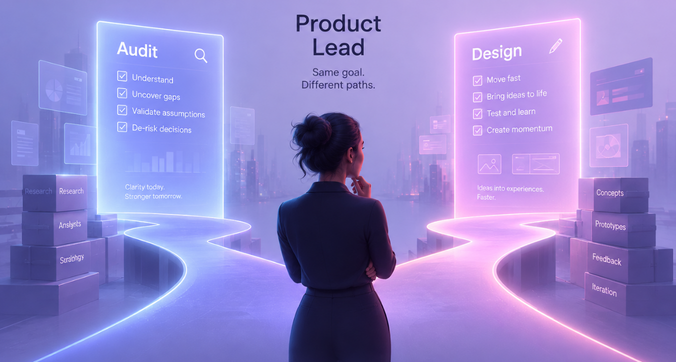
Right time to buy one:
- An existing product is underperforming and the team genuinely doesn’t know why
- You’re about to commit budget to a redesign and want the investment aimed at the right problems
- You’re heading into a fundraise and need an objective read on product experience
- Support tickets keep clustering on the same flows without a clear internal explanation
Wrong time to buy one:
- You haven’t launched yet – an audit diagnoses an existing product; pre-launch, you need research that validates direction, not an audit that critiques execution
- You already know exactly what the problem is – an audit is a diagnosis, and diagnosing something you’ve already diagnosed is a way to spend budget without gaining new information
Say it plainly: if you can already name the fix, skip the audit and go straight to a designer.
What about AI audit tools?
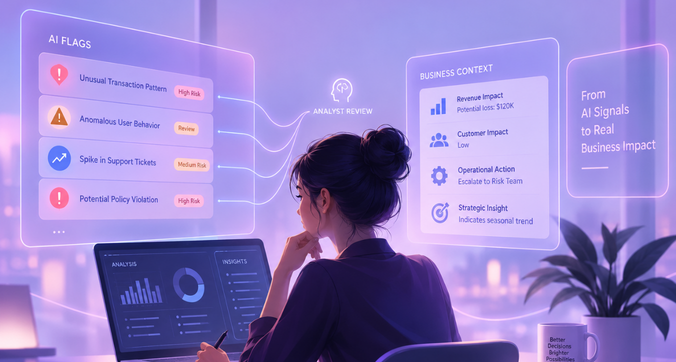
Worth addressing directly, since it’s genuinely changing the buying decision. AI-powered scanning tools now run roughly $9–$30 a month and are quite good at automated detection – rage clicks, form friction, missing trust signals, broken flows at scale. What they can’t do is interpret business context or prioritize findings by revenue impact. They tell you what is happening; a human audit tells you why it matters and what to do about it first.
The accurate way to position these tools: useful in the gaps between human audits, as an ongoing monitoring layer – not a replacement for one. Teams doing this well tend to run lightweight AI monitoring continuously and bring in a full human audit periodically, or when a specific problem needs real diagnosis.
Where f1Studioz fits
We sit in the diagnostic-to-enterprise range of the table above – this isn’t a single-flow teardown shop, and we’re upfront about that. Our work is built for teams dealing with the cost drivers that make generic pricing guides genuinely unhelpful for enterprise buyers: multi-role platforms, complex multi-step workflows, and accessibility conformance requirements that carry real regulatory weight.
Our methodology combines expert review, behavioral data analysis, and moderated usability testing, with findings ranked by business impact rather than issue count – the difference outlined above between a findings inventory and a fix plan your team can actually execute.
Who we’re not the right fit for: if you need a single-flow teardown for a pre-launch MVP, you’re better served by a freelancer at the lower end of this pricing table. We’re built for teams where the complexity of the product itself is part of the problem.
FAQ
How much does a UX audit cost?
UX audits range from $500 for a single-flow teardown to $75,000+ for enterprise, multi-role platforms. Most mid-market teams pay $8,000–$25,000 for a diagnostic audit that includes real usability testing.
How long does a UX audit take?
Timelines range from a few days for a lightweight teardown to 4–8 weeks for enterprise-scope work involving multiple user roles, accessibility review, and moderated testing.
What’s included in a UX audit?
At minimum: heuristic evaluation, information architecture review, flow mapping, and session recording review. Higher tiers add analytics analysis, competitor benchmarking, accessibility evaluation, and moderated usability testing with real users.
What’s the difference between a $3,000 and a $25,000 UX audit?
The $3,000 tier is typically expert heuristic review with no user testing. The $25,000 tier adds moderated usability testing, deeper analytics work, and findings ranked by business impact rather than issue count – plus a sequenced, executable fix plan.
Is a UX audit worth it?
It’s worth it when findings actually get implemented. A modest audit that’s acted on next sprint outperforms an expensive one that sits unused – the value is in execution, not report depth.
Do I need user testing in my UX audit? If your budget allows it, yes – it’s the single biggest driver of a decision-grade audit versus a surface-level one. Heuristic review alone catches obvious issues but misses how real users actually behave.
Can AI tools replace a UX audit? No. AI tools are strong at automated detection – friction points, rage clicks, drop-offs – but can’t interpret business context or prioritize by revenue impact. They complement human audits between full engagements; they don’t replace them.
When should a product team get a UX audit? When an existing product underperforms and the cause is unclear, before committing budget to a redesign, or ahead of a fundraise. Not before launch, and not when the problem is already clearly identified.
Conclusion

A UX audit is only worth what actually gets implemented – scope it to the decision you need to make, not the report you want to own. If your product’s complexity matches the enterprise end of this table, [let’s talk about scoping an audit] built around that.