
Think about the last time you used a food delivery app. You probably did not stop to think about where the buttons were placed, how the restaurant list was organised, or why you could place an order without much effort. You simply searched, selected a restaurant, added food to your cart, paid, and tracked the delivery.
That experience is the result of UI and UX design working together.
UI (User Interface) design focuses on how a digital product looks and how users interact with its interface. UX (User Experience) design focuses on the overall experience a user has while completing tasks with that product.
UI and UX are closely connected, but they solve different problems. A product can have an attractive interface and still be difficult to use. It can also have a smooth user experience but an inconsistent or confusing interface.
This guide explains what UI/UX design means, how the two disciplines differ, how they work together, and what designers actually do during a project.
What Does UI/UX Mean?
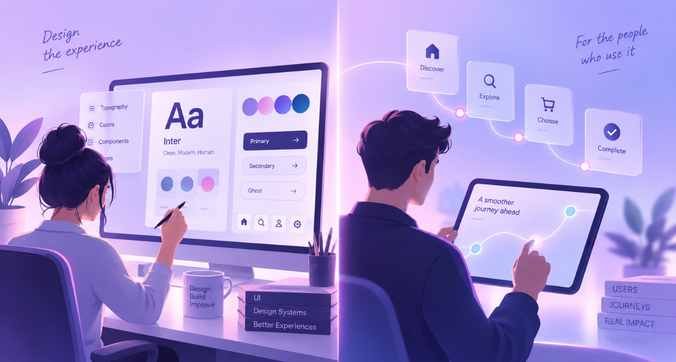
UI and UX are two areas of digital product design that focus on different parts of the user’s interaction with a product.
What Is UI Design?
UI design, or User Interface design, is the process of designing the visual and interactive elements of a digital product.
This includes things such as:
- Buttons
- Typography
- Colours
- Icons
- Forms
- Menus
- Cards
- Images
- Spacing
- Layouts
- Interactive states
UI designers decide how these elements should look and behave on a screen. They also work on consistency so that users can recognise and understand interface elements across a product.
For example, if a primary action uses a particular button style on one screen, users should generally encounter a similar visual treatment when performing the same type of action elsewhere.
What Is UX Design?
UX design, or User Experience design, focuses on how easily and effectively users can accomplish their goals with a product.
UX involves understanding:
- Who the users are
- What they are trying to accomplish
- Where they encounter problems
- How information should be organised
- How users move through a product
- What happens when something goes wrong
- Whether users can complete tasks without unnecessary effort
UX design can involve research, information architecture, user flows, wireframes, prototypes, usability testing, and interaction design.
The goal is to create an experience that makes sense from the user’s perspective.
Simple Example of UI and UX
Imagine a banking app.
The UI includes the colours, typography, account cards, buttons, icons, menus, and overall visual layout.
The UX includes how easily a customer can check their balance, transfer money, find a transaction, understand an error message, or complete a payment.
A beautifully designed transfer screen is still a poor experience if users cannot figure out where to enter the recipient’s details.
UI vs UX: What’s the Difference?
The easiest way to understand the difference is to look at the problem each discipline addresses.
| UI design | UX design |
| Focuses on the interface | Focuses on the overall experience |
| Deals heavily with visual and interactive elements | Deals with user needs, behaviour, journeys, and usability |
| Includes typography, colour, layout, icons, and components | Includes research, information architecture, user flows, testing, and iteration |
| Answers: “How should the interface look and behave?” | Answers: “How should the product work for the user?” |
| Usually happens after the broader experience has been defined | Often starts before visual design |
The two are not separate stages where one finishes and the other begins. They influence each other throughout product development.
For example, research may reveal that users are struggling to understand a particular feature. That finding could lead to a change in the user flow, which could then require changes to the interface.
UX helps determine the experience. UI helps communicate and support that experience through the interface.
How Do UI and UX Work Together?
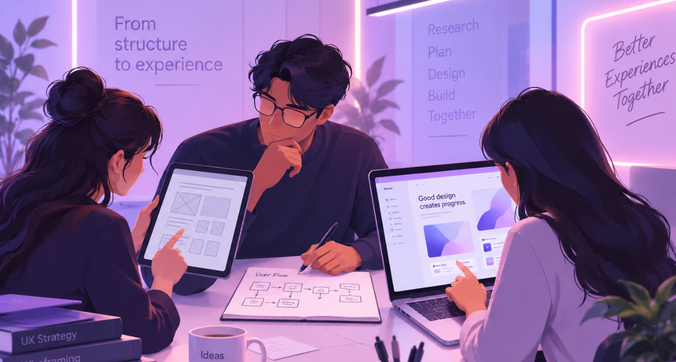
UI and UX work together across the product design process.
A typical workflow can include:
Research → User journey → Wireframe → UI design → Prototype → Testing → Iteration
The exact process varies by project, but the underlying principle remains the same: designers need to understand the problem before deciding how the final interface should look.
Research
Designers study users, their goals, existing workflows, pain points, and the context in which they use the product.
User journey
The team maps the steps a user takes to complete a particular task. This helps identify unnecessary steps and points where users may get stuck.
Wireframe
Wireframes establish the basic structure of screens before visual details are added.
UI design
Once the structure and interaction patterns are clearer, designers develop the visual interface, including components, typography, colours, spacing, and interaction states.
Prototype
A prototype connects screens and interactions to simulate how the product will work.
Testing
Designers test the experience with users or through other evaluation methods to identify usability problems.
The findings then feed back into the design.
Real-World Example of UI/UX Design

Consider an e-commerce checkout.
Good UX Example
A well-designed checkout might:
- Clearly show the products being purchased
- Make delivery information easy to enter
- Provide familiar payment options
- Show the total cost before payment
- Explain errors clearly
- Let users review their order
- Confirm the purchase immediately
The user does not have to guess what to do next.
Good UI Example
The interface might use:
- Clear headings
- Readable text
- Distinct primary buttons
- Consistent form fields
- Appropriate spacing
- Clear error states
- A visible order summary
These UI decisions make the checkout easier to scan and interact with.
Poor UI/UX vs Good UI/UX
A checkout can have attractive colours and polished graphics but still create friction if:
- Important information is hidden
- The primary action is difficult to find
- Forms ask for unnecessary information
- Error messages do not explain how to fix a problem
- Users cannot tell where they are in the process
Good UI/UX is therefore about how the individual interface decisions support the larger experience.
What Does a UI/UX Designer Do?
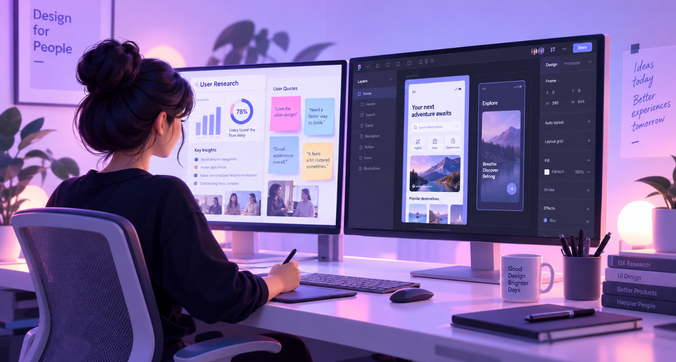
A UI/UX designer can work across different stages of product design. Depending on the organisation and project, responsibilities may overlap between UX research, interaction design, UI design, and product design.
User Research
Research helps designers understand users before making design decisions.
Methods can include interviews, surveys, usability tests, observation, competitive analysis, and analysis of existing product data.
User Personas
Personas represent important user groups and summarise their goals, needs, behaviours, and challenges.
They help teams keep specific user needs in mind instead of designing for an abstract “average user.”
Journey Mapping
A journey map shows the stages a user goes through while interacting with a product or service.
It can highlight pain points, questions, emotions, and opportunities for improvement.
Information Architecture
Information architecture determines how information and features are organised.
For a large application, this can influence navigation, menus, categories, search, and the relationship between different sections.
User Flows
A user flow maps the steps required to complete a specific task.
For example, an online shopping flow could be:
Product page → Add to cart → Cart → Address → Payment → Confirmation
Wireframing
Wireframes are simplified screen layouts used to establish structure and hierarchy before detailed visual design begins.
Prototyping
Prototypes simulate interactions between screens. They can range from simple clickable wireframes to highly detailed representations of the final product.
UI Design
UI designers translate the product structure and interaction requirements into a visual interface.
Usability Testing
Usability testing involves observing users as they attempt tasks to identify problems with the experience.
The findings can then be used to improve the design.
What Is the UI/UX Design Process?
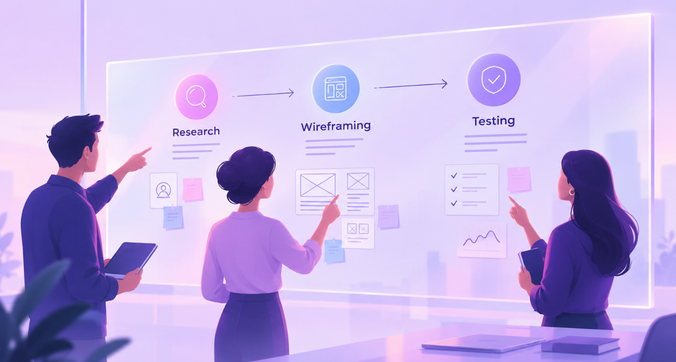
There is no single process that applies to every project. However, a typical UI/UX project may include the following stages.
Understand the Problem
Before designing screens, the team needs to understand what problem the product or feature is supposed to solve.
This includes understanding business objectives, user needs, technical constraints, and the existing experience.
Conduct Research
Research provides evidence about users and their behaviour.
The methods used depend on the project, timeline, available data, and research questions.
Define User Journey
The team maps how users currently complete a task and identifies areas where the experience can be improved.
Create Information Architecture
Content, features, and navigation are organised into a structure that users can understand.
Build Wireframes
Wireframes help teams evaluate layout, hierarchy, and functionality without getting distracted by visual styling.
Design UI
The interface is developed using appropriate typography, colour, spacing, components, imagery, and interaction states.
Create Prototype
The screens are connected to demonstrate important interactions and flows.
Test With Users
Testing helps identify whether users can understand and complete important tasks.
Iterate
Design rarely gets everything right in the first version. Feedback and testing can lead to changes in the flow, content, structure, or interface.
Developer Handoff
Designers provide developers with the required assets, specifications, components, states, and interaction details.
A strong handoff is more than sharing design files. It requires clear communication about how the experience should behave across different situations.
Why Is UI/UX Design Important?
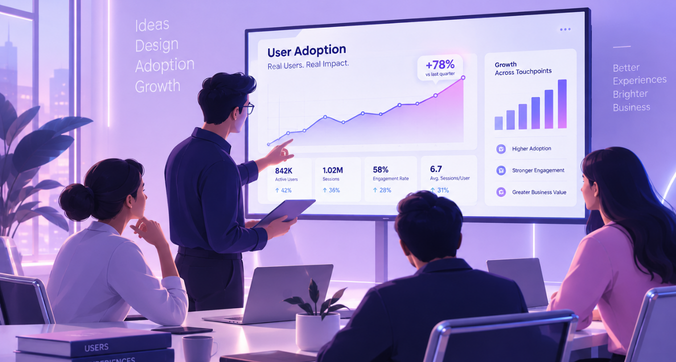
UI/UX design affects both how people use a product and how effectively the product supports its intended goals.
Easier Product Usage
Clear navigation, understandable content, and familiar interaction patterns can make products easier to use.
Reduced User Friction
Every unnecessary step, unclear instruction, or confusing interaction can add friction to a task.
UX design helps identify and reduce these obstacles.
Better Product Adoption
Users are more likely to understand a product when its core workflows are clear.
Good onboarding and straightforward interactions can help users reach value sooner.
Improved Conversions
For websites and digital products, design decisions can influence whether users complete actions such as signing up, making a purchase, submitting a form, or requesting information.
Reduced Development Rework
Finding usability and interaction problems during design and testing can reduce the need to make expensive changes after development.
Better Scalability
A well-structured design approach can make it easier to introduce new features while maintaining consistency across the product.
UI/UX Design Is More Than Making Things Look Good
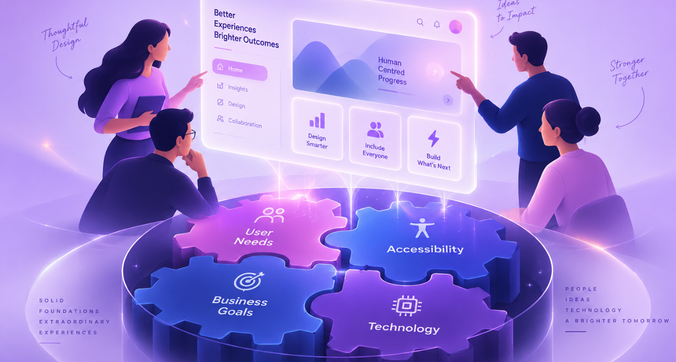
A common misconception is that UI/UX design is primarily about creating attractive screens.
Visual design matters, but it is only one part of the product experience.
Good product design has to account for:
- User needs: What are users trying to accomplish?
- Business goals: What does the organisation need the product to achieve?
- Usability: Can users complete important tasks?
- Accessibility: Can people with different abilities use the product?
- Technology: What can realistically be built and maintained?
- Visual design: Does the interface communicate information clearly?
These considerations often interact with one another.
For example, adding more information to a screen may seem useful from a business perspective. However, if the additional information makes the screen harder to scan, it may create a usability problem.
UI/UX design involves finding an appropriate balance between these requirements.
Key UI/UX Design Principles Beginners Should Know
User-Centered Design
Start with the needs, goals, and context of the people who will use the product.
Simplicity
Remove unnecessary complexity from important tasks. Simplicity does not mean removing useful functionality; it means making the intended actions easier to understand.
Consistency
Similar components and interactions should behave in predictable ways across the product.
Visual Hierarchy
Size, spacing, typography, placement, and contrast can help users understand what information deserves attention first.
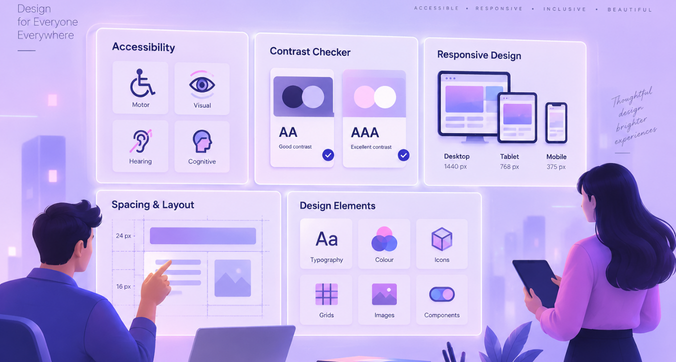
Accessibility
Products should be designed so that people with different abilities can access and use them.
Accessibility can affect colour contrast, keyboard navigation, text alternatives, focus states, form labels, and more.
Feedback
Users need to know what happened after they take an action.
A saved form, completed payment, loading process, or failed action should provide appropriate feedback.
Error Prevention
Good design can prevent avoidable mistakes by using clear labels, sensible defaults, constraints, confirmations, and helpful guidance.
Responsive Design
Digital experiences need to work across different screen sizes and devices. A layout that works on a desktop may need significant changes for a mobile screen.
Common UI/UX Design Deliverables
Different projects require different deliverables, but common examples include:
- User persona: A representation of an important user group
- Journey map: A visual representation of the user’s experience across stages
- Sitemap: A structural view of website or product content
- User flow: The steps a user follows to complete a task
- Wireframe: A basic representation of a screen’s structure
- Prototype: An interactive representation of the product experience
- UI mockup: A detailed visual representation of a screen
- Design system: A collection of reusable components, patterns, guidelines, and design rules
These deliverables are useful because they help teams make and communicate design decisions before and during development.
What Tools Are Used in UI/UX Design?
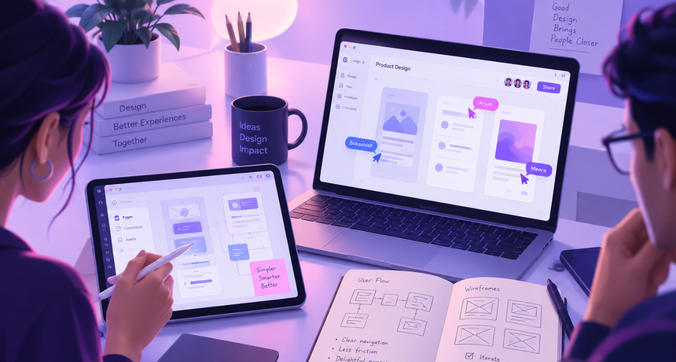
The tools used by designers depend on the project and stage of work.
Research Tools
Designers may use survey, interview, analytics, session-recording, and usability-testing platforms to understand users and product behaviour.
Wireframing Tools
Wireframing tools help designers quickly explore layouts and screen structures.
UI Design Tools
UI design tools are used to create detailed interfaces, components, design systems, and responsive layouts.
Prototyping Tools
Prototyping capabilities allow designers to connect screens and demonstrate interactions.
Developer Handoff Tools
Design teams use handoff tools and workflows to communicate specifications, assets, components, and interaction details to developers.
Tools are useful, but knowing how to use a design tool is only one part of UI/UX design. The ability to identify problems, understand users, structure information, and make sound design decisions is equally important.
UI/UX Design for Different Digital Products
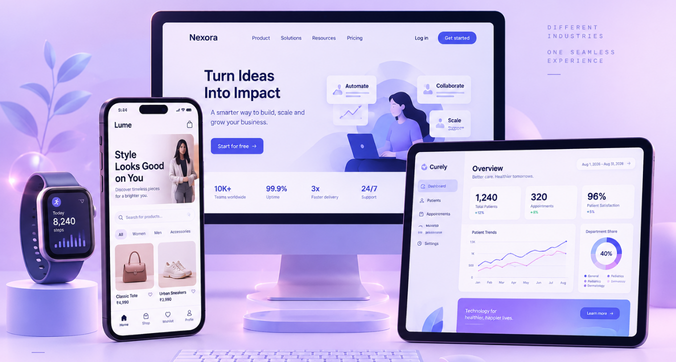
UI/UX principles apply across many types of digital products, although the design challenges can differ considerably.
Website UI/UX
Website design often focuses on navigation, content hierarchy, responsive layouts, accessibility, and conversion journeys.
Mobile App UI/UX
Mobile products have limited screen space and rely heavily on touch interactions. Designers need to consider gestures, navigation patterns, device differences, and one-handed use.
SaaS UI/UX
SaaS products often contain complex workflows, settings, dashboards, permissions, and recurring tasks. The challenge is making powerful functionality understandable.
Enterprise UX
Enterprise applications can involve multiple teams, user roles, permissions, integrations, and business processes.
The design needs to support complex workflows without making routine tasks unnecessarily difficult.
B2B Product UX
B2B products often have users with specific professional goals. Designers need to understand both the individual user’s workflow and the broader business process surrounding it.
AI Product UX
AI-powered products introduce new interaction patterns. Users may need to understand what the system can do, provide appropriate input, review generated outputs, and recover when results are incorrect or unexpected.
Dashboard UX
Dashboards often contain large amounts of information. Good dashboard UX helps users identify what matters, understand relationships between data points, and take action without overwhelming them.
What Does Good UI/UX Look Like in Complex Products?
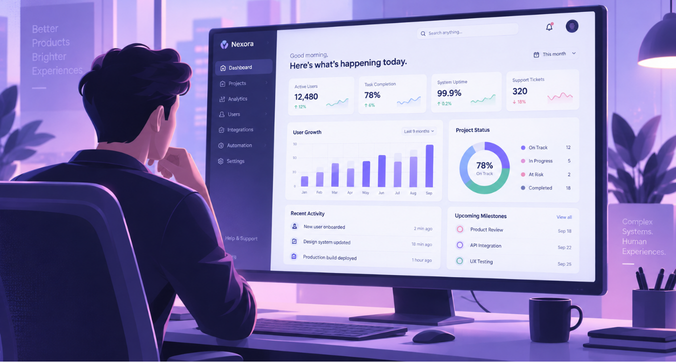
Complex products present a different design challenge from simple consumer applications.
An enterprise application, for example, may need to support several user roles, hundreds of features, data-heavy screens, approval workflows, integrations, and different levels of access.
In these products, good UI/UX can involve:
- Breaking complex workflows into understandable steps
- Showing relevant information at the right time
- Supporting different user roles
- Making frequent tasks efficient
- Establishing consistent patterns across the product
- Designing clear states for errors, loading, empty screens, and success
- Using design systems to maintain consistency
- Making dense information easier to scan
- Helping users understand the consequences of important actions
AI-powered products add another layer of complexity because users may need to understand and verify system-generated results.
This is where UX moves beyond individual screens. The designer has to consider the entire workflow and the decisions users make while interacting with the product.
How Does UI/UX Design Impact Business?
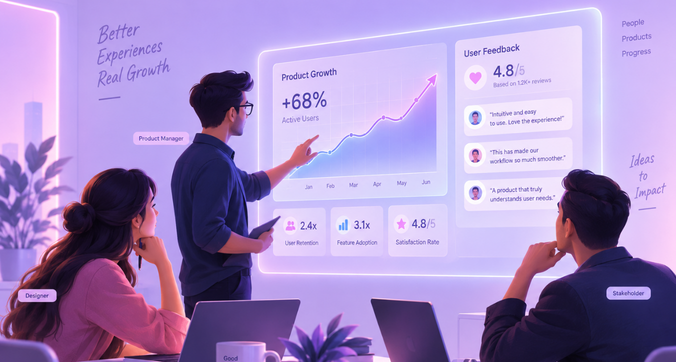
UI/UX design can affect business performance through the experience users have with a product.
Better usability can help users complete tasks with less friction. Clear onboarding can help users understand a product sooner. Consistent interfaces can make products easier to learn. Well-designed journeys can support actions such as sign-ups, purchases, and enquiries.
For organisations building complex digital products, UX can also influence operational efficiency and development decisions.
The impact can show up through areas such as:
- Better usability
- Higher product adoption
- Lower friction
- Better conversion journeys
- Improved retention
- Easier product scalability
The specific business impact depends on the product, users, industry, and problem being addressed. UX should therefore be connected to measurable product and business goals rather than treated as a purely visual exercise.
How Do You Know Your Product Needs Better UI/UX?
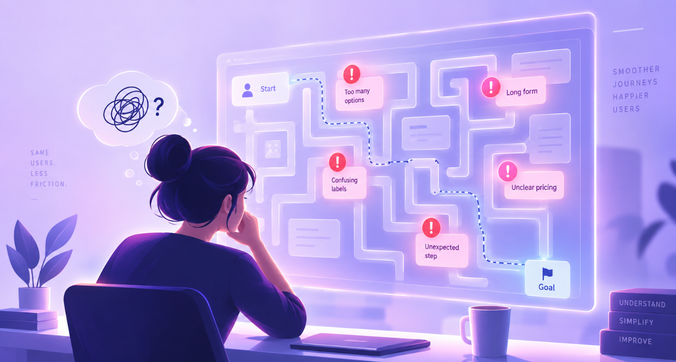
You may need to revisit your product experience when users repeatedly encounter the same problems.
Some signs include:
- Users struggle to complete common tasks
- Important pages have high drop-offs
- Navigation is difficult to understand
- New users struggle with onboarding
- Similar features work differently across the product
- Users repeatedly ask for help with basic workflows
- Usability testing reveals recurring problems
- Teams keep adding features without improving the underlying experience
These issues do not automatically mean that the visual design needs to change.
Sometimes the real problem is deeper: the information architecture may be confusing, the workflow may contain unnecessary steps, or the product may be trying to serve conflicting user needs.
Identifying the actual problem is an important part of UX design.
f1Studioz’s Approach to UI/UX Design

At f1Studioz, UI/UX design is approached as a product and business problem alongside a design challenge.
14+ Years of UX Experience
With more than 14 years of experience in UX, f1Studioz works across digital products and experiences, applying research, design thinking, and product understanding to complex design challenges.
Enterprise & SaaS Expertise
Enterprise and SaaS products often involve complex workflows, multiple user roles, large amounts of information, and interconnected features. Designing these experiences requires more than creating individual screens.
Research-Led Approach
Understanding users, their workflows, and their pain points helps inform design decisions before the team moves too far into visual execution.
Multidisciplinary Team
UI/UX projects can involve designers, researchers, strategists, developers, and other specialists. Bringing different perspectives into the process helps connect user needs with technical and business requirements.
Business Outcomes
The objective is to create experiences that work for users while supporting the larger goals of the product and organisation.
Awards & Recognition
f1Studioz’s work and industry recognition provide additional context on its experience across digital product design.
Frequently Asked Questions
What is UI/UX design in simple words?
UI/UX design is the process of designing digital products around how they look, work, and feel to users. UI focuses primarily on the interface, while UX focuses on the broader user experience.
What is the difference between UI and UX?
UI focuses on the visual and interactive interface, including elements such as buttons, typography, layouts, and components. UX focuses on how users navigate and complete tasks within the product.
What does a UI/UX designer do?
A UI/UX designer can conduct research, create user journeys and flows, develop wireframes, design interfaces, build prototypes, conduct usability testing, and work with developers to implement the final experience.
What is an example of UI and UX?
In a banking app, the account cards, buttons, colours, icons, and typography are examples of UI. The process of checking a balance or transferring money easily is part of the UX.
Does UI/UX require coding?
Coding is not generally required to create UI/UX designs. However, understanding basic development concepts can help designers communicate effectively with developers and design within technical constraints.
What comes first, UI or UX?
UX considerations generally come before detailed UI design because designers need to understand users, workflows, information structure, and interactions before finalising the interface. In practice, UI and UX continue to influence each other throughout the project.
What is a wireframe?
A wireframe is a simplified representation of a digital screen. It focuses on structure, content placement, navigation, and functionality rather than detailed visual styling.
What is a prototype?
A prototype is an interactive representation of a product or feature. It connects screens and interactions so teams can demonstrate and evaluate how an experience may work.
Why is user research important?
User research helps designers understand users, their goals, behaviours, and problems. It provides evidence that can inform design decisions instead of relying only on assumptions.
What makes a good UI?
A good UI is clear, consistent, accessible, and appropriate for the context in which it is used. It should help users understand information and interact with the product effectively.
Is UI/UX only for websites?
No. UI/UX design is used for websites, mobile apps, SaaS platforms, enterprise applications, dashboards, B2B products, AI-powered products, and many other digital experiences.
How does UI/UX impact business?
UI/UX can influence usability, adoption, conversions, retention, operational efficiency, and product scalability. The specific impact depends on the product and the business objectives being addressed.
Final Thoughts
UI and UX address different parts of the same challenge: creating digital products that people can understand and use effectively.
UI focuses on the interface users see and interact with. UX considers the broader journey, including research, information architecture, workflows, usability, and testing.
The strongest digital products bring both together. They do not treat design as a layer added after the product has been built. Instead, design becomes part of understanding the problem, shaping the experience, and helping the product achieve its intended goals.
If you are building or improving a digital product, f1Studioz can help you evaluate the existing experience, identify usability challenges, and design a UI/UX experience aligned with your users and business goals.